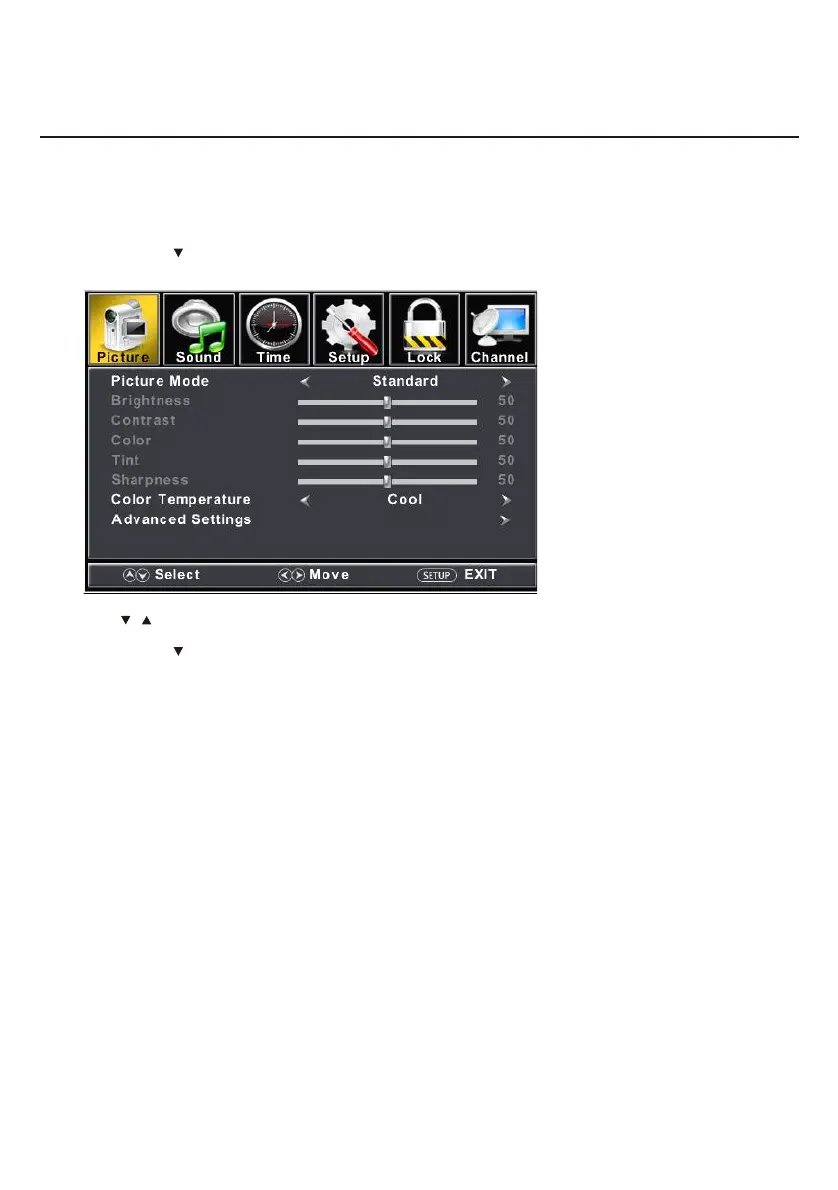
ENU to enter the main menu,Press button to select.Press M ◄ / ►
Press to enter.ENTER /
ENU again to exit or back to parent menu.Press M
button to select among Picture Mode /Brightness/ Contrast / Color / Tint / Sharpness / Color Temperature/ Press
/
Advanced Settings.
Press to enter. ENTER /
Press button to adjust.◄ / ►
ENU again or back to parent menu. Press M
Picture Menu
11


 To Next Page