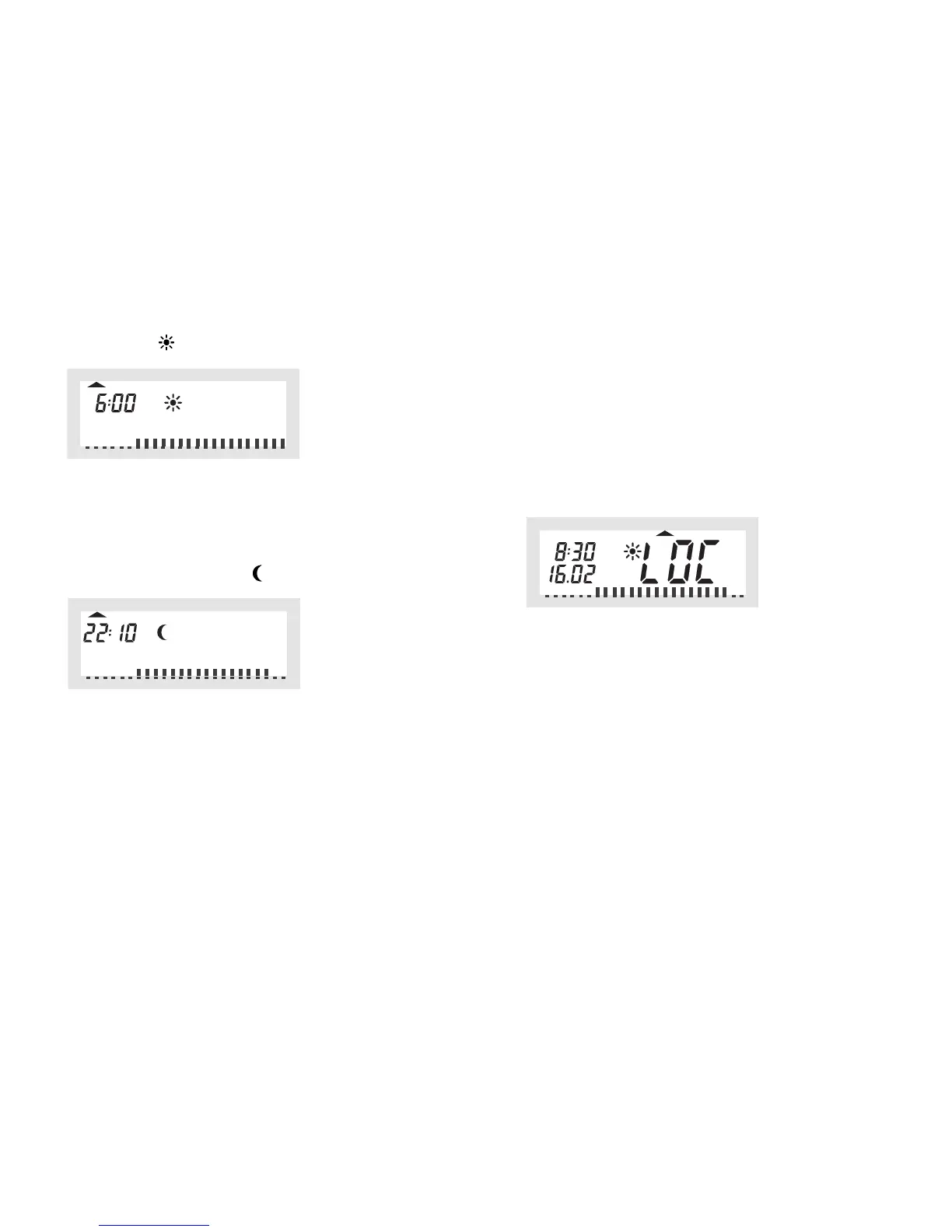
• The time when the comfort temperature will be switched on is displayed
(the sun symbol " " is displayed), in our example this is "6:00" hrs:
Use the selection wheel to select the time when control of the comfort tem-
perature is to be started. On the bottom of the LC display a scale is dis-
played to facilitate orientation (long marks = comfort temperature is active).
Briefly press the "PROG" key to confirm the starting time.
• On the LC display the time when the lowering temperature is to be activa-
ted is displayed (the moon symbol " " is displayed):
Use the selection wheel to select the time when control of the lowering
temperature is to be started.
Briefly press the "PROG" key to confirm the starting time.
• Repeat the steps described above to program the second comfort tempe-
rature time and the second lowering temperature time.
☞
If one of the switching times is not to be used, turn the selection
wheel to the right side until four bars are displayed ("--:--", bars are
displayed next to the displayed time 23:50 hrs), see figure 18.
d) Verrouillage des touches (pour les touches et la
roue de réglage)
Pour protéger l´appareil contre toute modification involontaire, par ex. par des
enfants, un verrouillage des touches et de la roue de réglage est intégré.
Activation/mise en marche du verrouillage des touches :
• Pour activer le verrouillage de touche, appuyez simultanément sur les deux
touches «FONCTION» et «PROG».
•«LOC» s'affiche brièvement à l'afficheur à cristaux liquides, et toutes les
fonctions de commande sont verrouillées.
Désactivation/mise hors fonction du verrouillage des touches
• Pour supprimer à nouveau le verrouillage, maintenir appuyées (pendant
env. 2 secondes) les deux touches «FONCTION» et «PROG» jusqu'à ce
que «LOC» disparaisse de l'affichage.
• Les fonctions de commande sont à nouveau disponibles.


 To Next Page