27
7. Controls and Connections
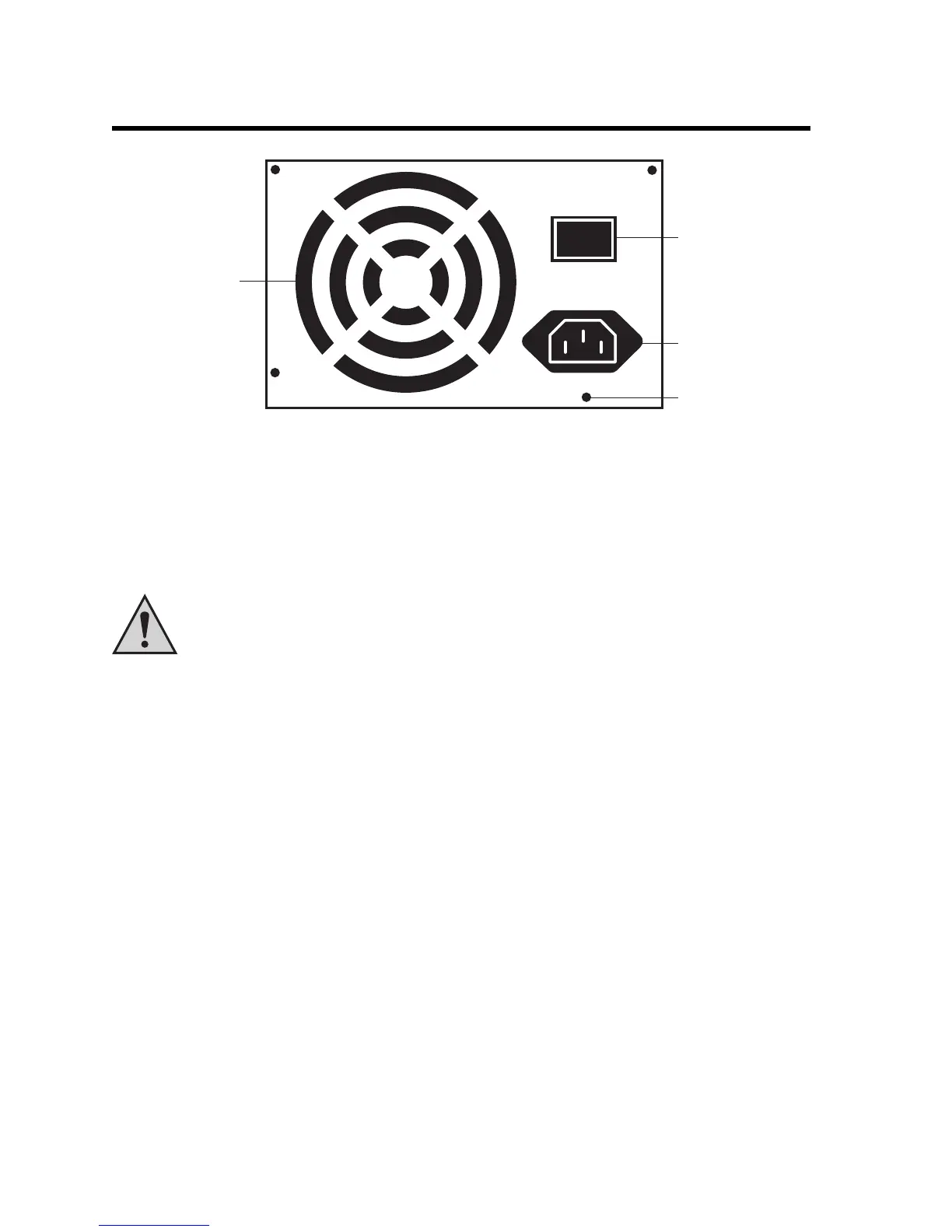
The back may look a little different (eg assignment of mains socket and mains switch).
a) Fan
The fan (A) blows hot air from the power supply unit out. The openings on the inside of the power
supply unit suck air into the inside of the housing.
Never cover the ventilation openings of the power supply unit, heat accumulation
destroys the power supply unit and the connected components!
b) Power switch
Via the power switch (B) the power supply unit is switched on or off.
It is imperative that you note chapter 6 in this operating instruction!
c) Power socket (appliance socket for non-heating apparatus)
The power supply is provided via this socket (C) on the back of the power supply unit.
d) Screwing holes
The four screwing holes (D) at the outer corners of the power supply unit serve for the attachment
of the power supply unit to the computer housing. If possible, try to use all four holes for fastening
on the computer housing. The high weight of the power supply unit could cause damages on the
computer housing (eg during transport).
I
O



 To Next Page