12
Quick Start Guide
This guide is designed to get you up and running in a matter of
moments. To get the most out of this
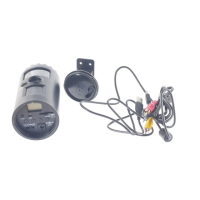
HUNTING CAMERA
tools,
please read the manual thoroughly before operating. If you
would like to modify any of the factory Default Settings, except
for the Time & Date, please see manual for instructions.
Factory Default Settings:
Time Out: 30 Sec Burst Mode: 3 Still Image
Resolution: 3M Operation Mode: PIR
Video Mode: 10 Seconds (VGA Resolution)
Time lapse setting: 19:00-7:00 (Next day)
Initial Camera Set-up:
1. Install 4 “C” cell batteries in correct polarity (+/-) as indicated in
battery compartment.
2. Insert SD card into the camera.
3. Turn switch to CAM to adjust the Time and Date.
4. The internal LCD screen displays T blinking.
5. Press the [OK] button to start the Time settings.
6. Press the [UP] or [DN] button to adjust the Minute setting and
press [OK] to confirm and move to the Hour setting.
7. Repeat to set the Hour and then press [OK] to confirm and
move to Date.
8. Adjust the Month, Day, and Year by using [UP] or [DN] button.
Each time you finish an adjustment you MUST press the [OK]
button to confirm and move to the next field for adjustment.
9. Once done, the word - dEL - will be blinking, this stands for
Delete menu and will allow you to format your SD Card. (This
will delete ALL images). Press the [M] button to exit.


 To Next Page