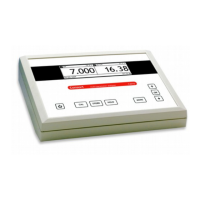
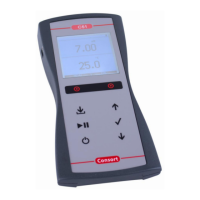
Select the desired mode (pH) by pressing
The display will immediately
show the measured value according to the previous calibration. Should you
want to recalibrate, press
The instrument permits to choose between the buffers in memory (1.68, 2.00,
4.00, 4.01, 6.87, 7.00, 9.18, 9.21, 10.01, 12.00, 12.45 + max. 5 user tables).
Select the proper values and press
The unused buffers should be switched
Rinse the electrodes with distilled water and immerse them in the first buffer
solution. Select [CALIBRATE], press
and follow the in struc tions on the
screen until the calibration is finished.
After rinsing the electrodes with distilled water, immerse them in the samples
Rinse the electrodes always with distilled water after use and store them in a
Using pH electrodes with an abnormal zero point:
Select [Eo = x mV] and press
Enter the zero point of the elec tro de and press
MODE pressed and press MODE
to change the resolution from 0.1 to 0.001
the desired mode (°C) by pressing
. Should you want to recali-
Immerse the Pt1000 in a solution of known temperature.
. Adjust to the proper value and press
to reset the calibration.
, adjust the manual temperature compensation and
, adjust the manual temperature compensation and
Select the desired mode (mV) by pressing
The display will immediately
show the measured value according to the previous calibration. Should you
want to recalibrate, press
Immerse the electrodes in a standard solution of known potential. Select
. Adjust to the proper value and press
to reset the calibration.
MODE pressed and press MODE
to change the resolution from 1 to 0.1 mV.
A blinking decimal point warns you for unstable measurements. Wait to read
Stirring the solution during the measurements promotes the homogeneity and
The instrument will refuse automatic calibration when the electrode is unsta-
ble. Insufficient stirring or a worn electrode may be the cause.



 To Next Page