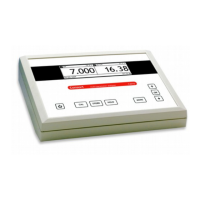
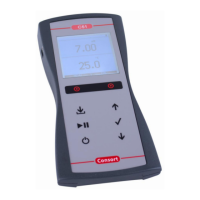
C6010 • C6020 • C6030 C6010 • C6020 • C6030
Select the desired mode (S/cm) by pressing
. The display will immedi-
ately show the measured value according to the previous calibration. Should
you want to recalibrate, press
The instrument permits to choose between the standards in memory (1413
µS/cm, 12.88 mS/cm, 111.8 mS/cm + max. 3 user tables). Select the proper
The unused standards should be switched off.
After rinsing the electrode several times with the first standard solution,
immerse it in that standard. The solution temperature is not so critical but
should lie between 0°C and 30°C. When no Pt1000 is used, do not forget
to compensate manually first! Select [CALIBRATE], press
in struc tions on the screen until the calibration is finished.
Rinse the electrode several times with the sample, immerse it in that solution
Rinse the electrode always after use and store it in distilled water (add some
detergent to keep the spongy platinum surface in perfect condition).
When starting a titration, hold
MODE pressed and press MODE
range and avoid cross-over errors due to differences in the measuring fre-
MODE pressed and press MODE
to return again to the normal meas-
Temperature compensation:
Select the temperature to which all future mea sure ments will be refer red to
Capacitive compensation in creases accuracy in the very low conductivity rang-
es (<10 µS/cm). Select whether or not this compen sa tion should be applied.
Verify if the attached electrode is completely dry and press
Select [CAP.COMP] and press
Select [YES] or [NO] and press
. Follow the in struc tions on the screen.
. The display will immedi-
ately show the measured value.
. The display will immediately
show the measured value according to the Practical Salinity Scale (PSS-78)
which is based upon standard seawater at 15°C.
diately show the measured value.
To browse between conductivity, resistivity,



 To Next Page