9
Manual programming
Manual programming permits to set voltage, current, power and time limits for a simple routine
electrophoresis run. Parameters can be changed temporarily without interrupting the run.
Verify if the instrument is switched off.
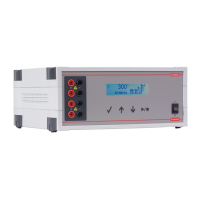
Connect the electrophoresis tank to the instrument.
Switch the instrument on.
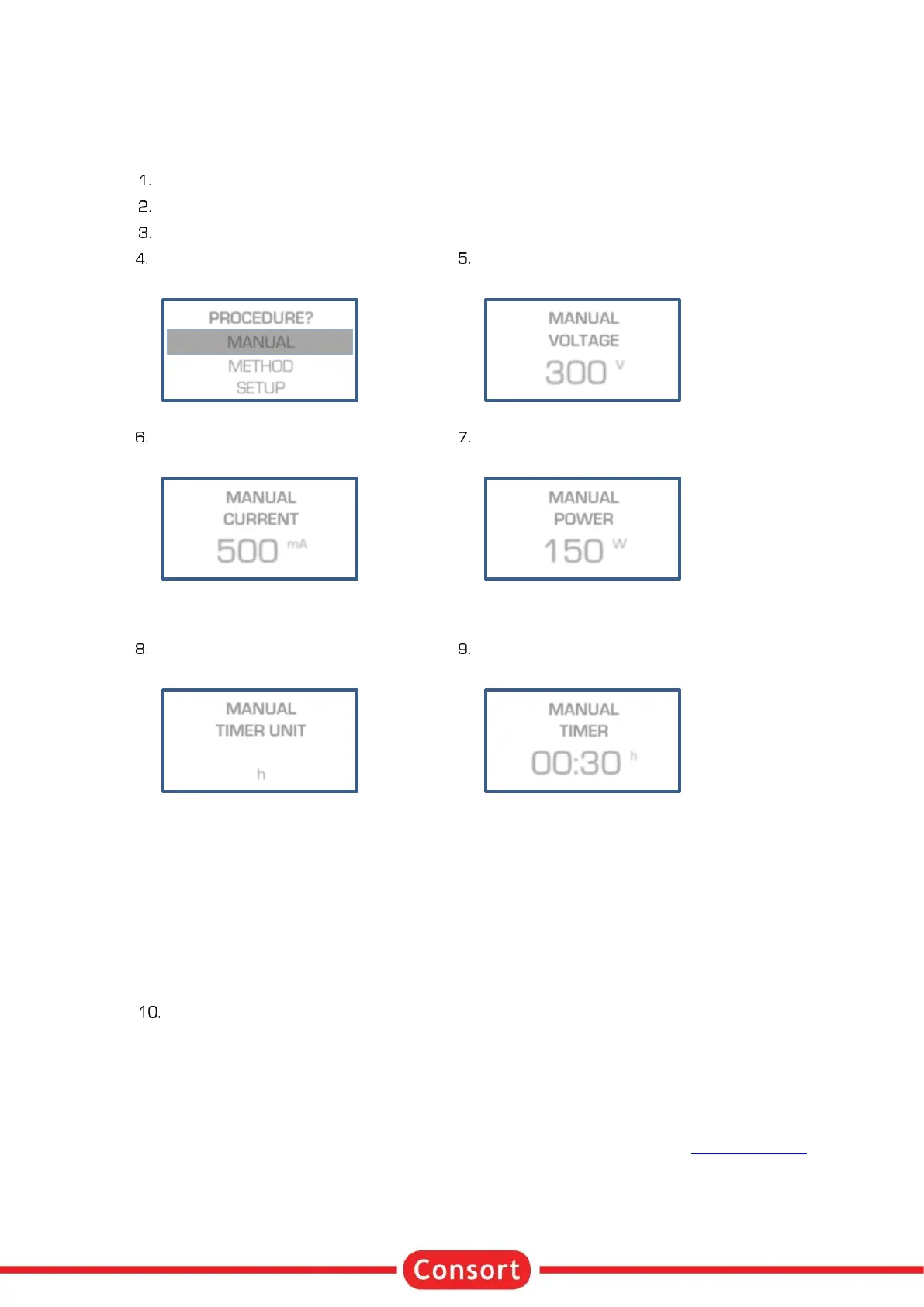
Select MANUAL and press SET:
Enter the desired voltage limit
and press SET :
Enter the desired current limit
and press SET :
Enter the desired power limit
and press SET :
Enter the desired timer unit (h or kVh)
and press SET :
h
The timer will count in hours and
minutes.
kVh
The timer will count in kilovolthours.
Enter the desired timer value
and press SET :
h
The value format is hh:mm.
kVh
The format has a value with 2 decimal
places..
Set to 00:00 when required to
continue until RUN/STOP is pressed
or the device is switched off.
Press RUN/STOP to start the experiment.
• At any time, you can return to the main menu by holding SET pressed.
• At any time, you can avoid programming unnecessary parameters. To do so, simply press
RUN/STOP instead of SET after entering the last relevant value and the instrument will immediately
start the experiment keeping the other parameters to their previous values.
• To ensure that the desired parameter is kept constant, we suggest to pre-set all other parameters
to its maximum.
• The behaviour of the power supply during a procedure is described in the chapter Running Condition.
PROCEDURE?
MANUAL
METHOD
SETUP


 To Next Page