EasyManua.ls Logo

Consumer Cellular ZMAX 5G - User Manual

Consumer Cellular ZMAX 5G
75 pages
Print Icon
To Next Page IconTo Next Page
Loading...
1
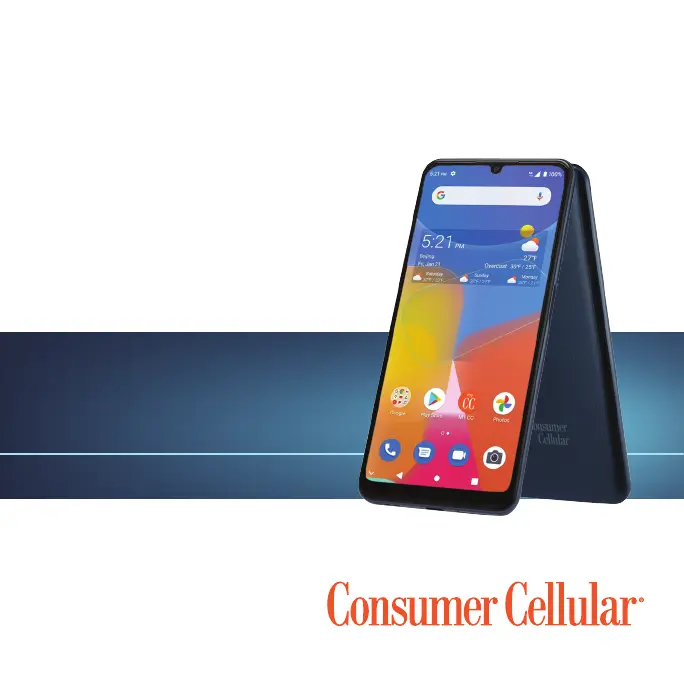
CONSUMER CELLULAR ZMAX 5G
USER GUIDE

Table of Contents

Questions and Answers

  • M
    Monica CastroJul 28, 2025
    Why does my Consumer Cellular ZMAX 5G Cell Phone have poor reception?
    • D
      Debbie WarrenJul 28, 2025
      If your Consumer Cellular Cell Phone shows 'Poor reception', move to a location where the network signal can be properly received. Wireless transmissions might not effectively reach the phone in the current location, like in a basement or near a tall building. Alternatively, the network might be busy, especially during peak times. Avoid using the phone at such times, or try again after a short wait. If you are too far from a base station, you can request a service area map from Consumer Cellular.
  • J
    Jennifer GouldAug 2, 2025
    What to do if my Consumer Cellular ZMAX 5G cannot charge the battery?
    • M
      Mrs. Veronica Kirby MDAug 2, 2025
      If your Consumer Cellular Cell Phone battery isn't charging, adjust the battery charging environment to avoid extreme temperatures, especially if the phone’s temperature is below 32 °F (0 °C) or higher than 95 °F (35 °C). Also, check all connectors to ensure that all connections between the charging jack and charger have been properly made. If the battery or charger is damaged, call customer support at (888) 835-6047.
  • J
    Jennifer BurnsAug 7, 2025
    Why does my Consumer Cellular ZMAX 5G Cell Phone have shortened standby time?
    • J
      John LaneAug 7, 2025
      If your Consumer Cellular Cell Phone has shortened standby time, and you are located in an area where signaling is weak, temporarily power off the phone. If the battery is depleted or in high-temperature environments, battery life will be shortened, use a new battery. If you are not able to connect to the network, change your location to one where the network is accessible, or temporarily turn off your phone.
  • M
    Michael KaneAug 13, 2025
    Why does my Consumer Cellular Cell Phone have echo or noise during calls?
    • A
      andreamyersAug 13, 2025
      If you are experiencing echo or noise on your Consumer Cellular Cell Phone calls, end the call and dial again. This may switch you to a better-quality network link or phone line. The issue could be due to poor network link quality or the poor quality of the phone line you are calling.
  • R
    Robert FullerAug 17, 2025
    What to do if my Consumer Cellular ZMAX 5G shows a nano-SIM card error?
    • T
      Tyler WalkerAug 17, 2025
      If your Consumer Cellular Cell Phone displays a nano-SIM card error, ensure the nano-SIM card is inserted properly. If it is, use a soft, dry cloth to clean the nano-SIM card contacts. If the nano-SIM card has malfunctioned or is damaged, call customer support at (888) 835-6047.
  • B
    beckercameronAug 22, 2025
    How to fix a Consumer Cellular ZMAX 5G that cannot be turned on?
    • J
      Jaclyn BlankenshipAug 22, 2025
      If your Consumer Cellular Cell Phone cannot be turned on, recharge the phone. The battery power has likely been depleted.

Summary

Getting Started

Charging the Battery

Instructions on how to charge the phone's battery and warnings about chargers.

Setting Up Your Phone for the First Time

Guide to initial setup after powering on, including language and Wi-Fi configuration.

Phone Screen and Gestures

Locking and Unlocking the Phone

Instructions on how to lock and unlock the phone screen using the power button and gestures.

Personalizing Your Phone

Protecting Your Phone with Screen Lock

Instructions for setting up screen lock methods like Pattern, PIN, or Password for security.

Using Your Fingerprint

Steps to register fingerprints for unlocking the phone and setting fingerprint actions.

Connecting to Networks and Devices

Connecting to Mobile Networks

How to manage mobile data, enable roaming, and add access point names.

Connecting to Wi-Fi

Steps to turn Wi-Fi on, connect to networks, add new networks, and forget saved networks.

Connecting to Bluetooth Devices

Steps to turn Bluetooth on/off, change device name, pair, and forget Bluetooth devices.

Using the microSDXC Card

How to use the microSDXC card for storage, format it, move data, and remove it.

Phone Calls

Placing and Ending Voice Calls

Instructions on how to dial a number, place a call, and end an ongoing call.

Adjusting Your Call Settings

How to configure settings for the Phone app, including Caller ID and Spam Protection.

Setting Call Blocking

How to block unwanted calls and messages by adding numbers to a blacklist.

Camera

Capturing a Photo

Steps to take photos using the camera, including focus and flash.

Voice Recorder and Apps

Google Play Store

How to browse, search, buy, and download apps and content.

Settings

Network & Internet Settings

How to configure Wi-Fi, Mobile Network, Hotspot, VPN, and Data Saver.

Connected Devices Management

How to manage connections via Bluetooth, USB, and other devices.

Apps & Notifications Management

How to manage app info, conversations, notifications, screen time, and default apps.

Home Screen and Display Settings

How to customize home screen layout and adjust display brightness and other visual settings.

Privacy and Location Services

How to manage app permissions, password display, and location services.

Security Settings

How to configure Google Play Protect, screen locks, fingerprint, and SIM card security.

Google and System Settings

How to manage Google account settings and system configurations like language and date/time.

Troubleshooting

Poor Reception and Call Quality Issues

Solutions for weak network signals, echo, noise, and feature selection problems.

Battery and Power Issues

Troubleshooting steps for battery charging problems and shortened standby time.

SIM Card and Call Connectivity Problems

How to resolve nano-SIM card errors and issues with answering or making calls.

Network Connectivity and PIN Issues

Solutions for unable to connect to the network or a blocked PIN code.

Phone Stability and Software Issues

Troubleshooting for phone crashes, reboots, freezes, or power-on failures.

For Your Safety

General Safety Precautions

Important safety guidelines for using the phone, including driving and loud sounds.

FCC RF Exposure Information (SAR)

Information regarding the phone's compliance with radio frequency exposure limits.

Hearing Aid Compatibility (HAC)

Information about the phone's compatibility with hearing aids and related ratings.

Product Handling and Usage

General guidelines for handling, cleaning, and using the phone safely.

Specifications and Support

Customer Support Information

Contact details for assistance, including chat, website, and telephone.

Consumer Cellular ZMAX 5G Specifications

General IconGeneral
BrandConsumer Cellular
ModelZMAX 5G
ProcessorMediaTek Dimensity 700
RAM4 GB
Storage64 GB
Rear Camera48MP + 2MP + 2MP
Front Camera8 MP
Battery5000 mAh
Operating SystemAndroid 11
Cellular TechnologyGSM / HSPA / LTE / 5G
5G SupportYes

Related product manuals