EasyManua.ls Logo

Consumer Cellular AVID 589 - User Manual

Consumer Cellular AVID 589
74 pages
Print Icon
To Next Page IconTo Next Page
Loading...
1
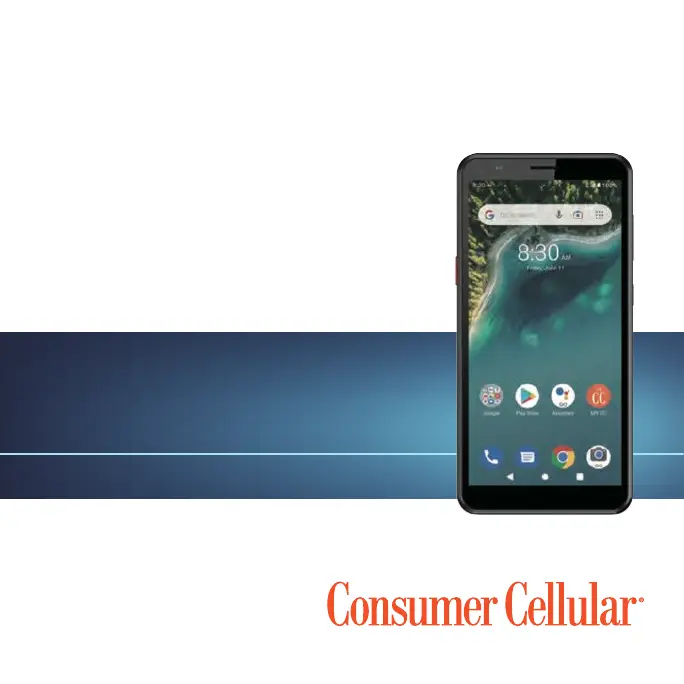
CONSUMER CELLULAR AVID 589
USER GUIDE

Table of Contents

Questions and Answers

Summary

Getting Started

microSD Card and Battery Charging

Instructions for installing/removing microSDXC cards and charging the phone's battery.

Extending Battery Life

Tips to conserve battery power by managing apps, screen brightness, and connectivity.

Phone Power and Initial Setup

Steps to power the phone on/off and the initial setup process after purchase.

Screen Lock and Touch Gestures

How to lock/unlock the phone and use basic touch screen gestures like tap and swipe.

Phone Hardware and Screen Rotation

Identifies phone components and explains screen orientation changes.

Basic Touch Screen Gestures

Explains pinch-to-zoom and other touch gestures for screen interaction.

Key Functions and Controls

Details the function of each physical key on the phone, including power, SOS, and volume.

Home Screen Navigation and Customization

Introduces the home screen and how to customize it with shortcuts and widgets.

SOS Calls and Messages

Emergency Contacts and SOS Message Setup

Steps to add/remove emergency contacts and customize the SOS message.

Enabling and Disabling Emergency SOS

Instructions to turn the emergency SOS feature on or off.

Personalizing Your Phone

System Language, Date, and Time Settings

How to change system language, date, time, and time zone settings.

Customizing Sounds and System Sounds

Changing ringtones, notification sounds, and system sounds.

Volume Control and Sound Modes

How to adjust volumes and switch between silent, vibration, or ring modes.

Using Do Not Disturb Mode

Limiting interruptions by silencing sounds, vibrations, and notifications.

Home Screen and Screen Lock Settings

Setting wallpapers, home screen options, night light, and screen lock security.

Protecting Phone with App Pinning

Using app pinning to keep an app in view and prevent access to other apps.

Understanding Basic Phone Icons

Phone and Notification Status Icons

Explanation of icons in the status bar for phone status and notifications.

Managing the Notification Panel

How to open and close the notification panel to view alerts and events.

Interacting with Notifications and Quick Settings

Responding to notifications and customizing quick settings tiles.

Managing Home Screen Shortcuts and Widgets

Adding, moving, and removing shortcuts and widgets on the home screen.

Shortcut Management and App Shortcuts

Customizing primary shortcuts and accessing app functions via shortcuts.

Notification Dots and Text Input

Managing notification dots on apps and using the on-screen keyboard for text input.

Advanced Text Input Methods

Using Glide Typing and Google Voice Typing for efficient text input.

Text Editing and Application Management

Basic text editing and steps to open, switch, and uninstall apps.

Connecting to Networks and Devices

Mobile Network and Data Management

Controlling mobile data, roaming, network types, and APNs.

Wi-Fi Network Connection

Turning Wi-Fi on, connecting to networks, and managing network settings.

Bluetooth Device Pairing

Managing Bluetooth connections, pairing, and changing device names.

USB Computer Connection

Connecting the phone to a PC via USB for file transfer, charging, or driver installation.

microSDXC Card Storage

Using microSDXC cards as portable or internal device storage.

Configuring microSDXC Card Storage

Setting up cards for portable or device storage, including formatting.

Mobile Data Sharing and VPN Setup

Sharing mobile data via tethering/hotspot and setting up Virtual Private Networks (VPNs).

Sharing Files with Nearby Devices

Using Nearby Share to share content with nearby devices via Bluetooth or Wi-Fi.

Phone Calls

Placing and Ending Voice Calls

How to place and end voice calls by dialing, contacts, or call history.

Answering;Rejecting Calls and Real-Time Text (RTT)

Handling incoming calls and using RTT for accessibility during calls.

RTT Features and Call History Management

Initiating, answering RTT calls, and managing call history.

Calling Contacts and Checking Voicemail

Making calls to contacts and accessing voicemail messages.

Using Options During Calls

On-screen options during calls like Hold, Mute, and Keypad.

Multi-Party and Conference Call Management

Switching between calls and setting up conference calls with multiple participants.

Adjusting Call Settings

Customizing contact display, sounds, call handling, speed dials, and blocking.

Setting Up Wi-Fi Calling

Enabling and configuring Wi-Fi calling for making calls over Wi-Fi.

Contacts Management

Adding and Managing Contacts

Adding new contacts, setting up profiles, and syncing with accounts.

Contact Import, Export, Sharing, and Favorites

Managing contacts via import/export, sharing, and marking favorites.

Labeling, Searching, and Editing Contacts

Organizing contacts with labels, searching, merging duplicates, and separating info.

Web Accounts and Contact Details Editing

Managing web accounts and editing individual contact details.

Account Sync and Gmail Usage

Setting up account synchronization and using the Gmail app.

Email Composition and Response

Composing, sending, replying to, and managing emails.

Messages and SMS Sending

Opening Messages and Sending SMS;MMS

Accessing the Messages app and composing/sending text or multimedia messages.

Message Reply, Forwarding, and Options

Replying to, forwarding messages, and managing threads (archive/delete).

Web Browser Usage

Browser Launch and Tab Management

Launching the browser and using multiple tabs for web browsing.

Downloading Files and Browser Settings

Downloading web content and customizing browser settings.

Camera Operations

Capturing Photos

Taking photos with focus, exposure, and flash adjustments.

Recording Videos and Translating Text

Recording videos and using the camera for text translation.

Using Portrait Mode for Photos

Taking photos with a blurred background using Portrait mode.

Customizing Camera Settings

Adjusting camera settings like flash, timer, grid, and storage location.

Music and FM Radio

Viewing Your Music Library

Browsing music files by songs, albums, artists, or playlists in the YT Music app.

Managing Music Playlists

Creating and managing playlists for songs in the music library.

FM Radio Channel Management

Scanning for, saving, and listening to radio channels via FM Radio.

Utility Apps

Voice Recorder Functions

Recording and playing voice memos, including editing and playback options.

Calculator and Clock Functions

Using the calculator and clock apps for calculations, alarms, and timers.

Clock Alarms and File Management

Setting alarms and managing files using the File Manager.

Google Apps Overview

Overview of Google services and apps available on the phone.

Google Play Store and App Management

Purchasing/downloading apps and managing installed applications.

Phone Settings Overview

Network and Internet Settings

Managing Wi-Fi, mobile network, Hotspot, VPN, and Data Saver.

Connected Devices and App Notifications

Managing device connections and app notification settings.

Battery, Features, Display, and Sound Settings

Configuring battery, features, display brightness, themes, and sound profiles.

Storage, Privacy, Location, and Security

Managing storage, app permissions, location services, and phone security.

Account and Accessibility Settings

Managing user accounts, synchronization, and accessibility features.

Wellbeing, Google, System Settings

Managing screen time, Google services, system settings like language and input.

System Updates and About Phone

Checking for system updates and viewing device information.

Software Upgrades and Troubleshooting

Upgrading Phone Software

Methods for upgrading the phone's software using online tools or PC.

Troubleshooting Common Phone Issues

Common problems and their possible solutions for phone functionality.

For Your Safety

General Safety Guidelines

Important safety guidelines for using the phone to prevent injury or damage.

FCC RF Exposure and Regulations

Information on FCC RF exposure limits (SAR) and regulatory compliance.

Hearing Aid Compatibility (HAC)

Phone's compatibility with hearing aids and cochlear implants.

Distractions and Driving Safety

Warnings about distractions while driving and operating machinery.

Product Handling and Battery Safety

Guidelines for safe handling, cleaning, and battery precautions.

Specific Safety Precautions

Safety warnings for children, ESD, airbags, seizures, and RSI.

Electrical Safety and CTIA Requirements

Safety for accessories, charging, and CTIA requirements for batteries.

RF Interference and Medical Devices

Interference with pacemakers, hearing aids, medical equipment, and aircraft.

Phone Specifications

Technical Specifications Table

Detailed technical specifications of the handset, including OS, network, and dimensions.

Support and Warranty Information

Customer Support Contact Details

Contact information for assistance, including chat, website, and telephone.

Product Warranty Terms and Conditions

Details of the product warranty period, coverage, and exclusions.

Consumer Cellular AVID 589 Specifications

General IconGeneral
DisplayIPS LCD
Resolution720 x 1600 pixels
RAM2 GB
Internal Storage32 GB
Expandable StoragemicroSDXC
Rear Camera Resolution13 MP
Front Camera Resolution5 MP
Battery Capacity4000 mAh
Network4G LTE
Bluetooth5.0
Wi-Fi802.11 b/g/n
Weight190 g

Related product manuals