EasyManua.ls Logo

Consumer Cellular ZMAX 10 - User Manual

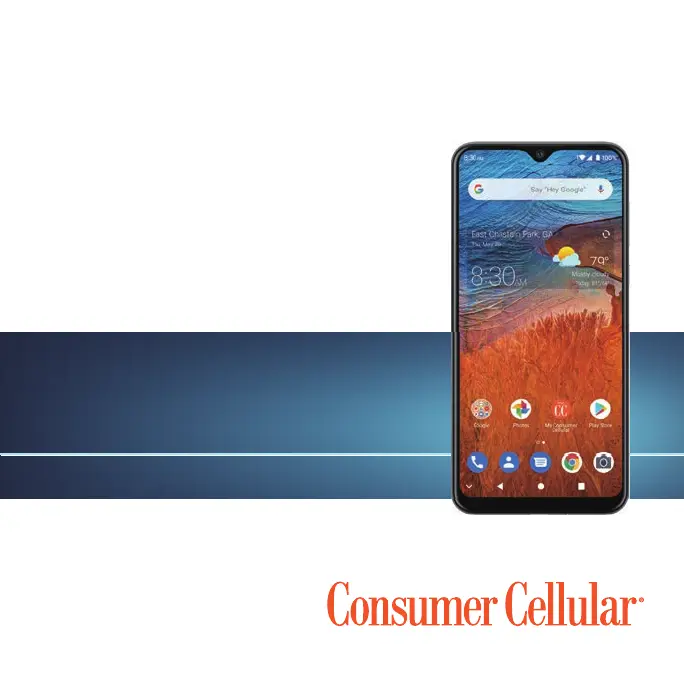
Consumer Cellular ZMAX 10
77 pages
Print Icon
To Next Page IconTo Next Page
Loading...
1
Consumer Cellular ZMAX 10
USER GUIDE

Table of Contents

Questions and Answers

Summary

Getting Started

Installing a microSDXC Card

Instructions for inserting and removing a microSDXC card from the phone.

Charging the Battery

Guide on how to charge the phone's battery using the provided charger.

Powering Your Phone On;Off

Steps to turn the phone on, turn it off, and open the options menu.

Setting Up Your Phone for the First Time

Guide for initial phone setup after purchase or factory reset.

Locking;Unlocking the Phone

How to quickly lock the phone and unlock it using various methods.

Using the Touch Screen

Explanation of various touch gestures used to control the phone's screen.

Key Functions

Description of the functions of the phone's physical keys.

Personalizing

Changing the Ringtone, Notification Sound, or Alarm Sound

Guide to customize default sounds for calls, notifications, and alarms.

Using Do Not Disturb Mode

How to limit interruptions by silencing sounds, vibrations, and notifications.

Protecting Your Phone With a Screen Lock

Creating a screen lock (Pattern, PIN, Password) to secure the phone.

Protecting Your Phone With Screen Pinning

Keeping an app in view to prevent switching to other apps.

Using Your Fingerprint

Registering and managing fingerprints for unlocking and app access.

Registering a Fingerprint

Step-by-step guide to register a fingerprint on the phone.

Knowing the Basics

Entering Text

Using the on-screen keyboard and voice typing for text input.

Opening and Switching Apps

How to open, close, and switch between recently used applications.

Uninstalling an App

Steps to uninstall applications from the phone.

Connecting to Networks and Devices

Connecting to Mobile Networks

Managing mobile data, roaming, network type, and APNs.

Connecting to Wi-Fi

Turning Wi-Fi on, connecting to networks, and managing Wi-Fi settings.

Connecting to Bluetooth Devices

Pairing and managing Bluetooth devices for wireless connections.

Turning Bluetooth On;Off

Steps to turn Bluetooth connectivity on or off.

Pairing with Another Bluetooth Device

Procedure to pair the phone with new Bluetooth devices.

Connecting to Your Computer via USB

Connecting the phone to a computer using a USB cable for file transfer or charging.

Connecting Your Phone to a Computer via USB

Steps to connect the phone via USB for file transfer, charging, or driver installation.

Using the microSDXC Card as Portable or Device Storage

Using the microSDXC card for portable or internal device storage.

Sharing Your Mobile Data Connection

Sharing phone's internet connection via tethering or hotspot.

Sharing Mobile Data Through Tethering

Using USB or Bluetooth tethering to share internet connection.

Connecting to Virtual Private Networks

Setting up and connecting to Virtual Private Networks (VPNs).

Phone Calls

Placing and Ending Voice Calls

How to dial, place, and end voice calls on the phone.

Answering or Rejecting Voice Calls

Methods for answering or rejecting incoming voice calls.

Working with the Call History

Viewing, redialing, and managing call history entries.

Calling Your Contacts

How to call contacts from the phone's contact list.

Checking Voicemail

Steps to access and manage voicemail messages.

Using Options During a Call

Available on-screen options during an active phone call.

Managing Multi-Party Calls

Switching between calls and setting up conference calls.

Setting Up Wi-Fi Calling

Enabling and configuring Wi-Fi calling for calls over Wi-Fi.

Setting Up Voicemail

Configuring voicemail service and accessing advanced settings.

Contacts

Adding a New Contact

Steps to add a new contact with name, number, and email.

Importing, Exporting, and Sharing Contacts

Transferring contacts between SIM, phone storage, and microSDXC.

Managing Emergency Contacts

Adding and managing emergency contacts for quick access.

Editing Contacts

Editing contact details, including assigning custom ringtones.

Gmail

Setting Up an Email Account

Steps to add and configure Gmail and other email accounts.

Writing and Sending an Email

Composing and sending text and multimedia emails with attachments.

Messages

Sending a Message

Steps to send text and multimedia messages to recipients.

Web Browser

Camera

Capturing a Photo

Taking photos using the camera app, including focus and exposure adjustments.

Using Manual Camera Mode

Adjusting advanced camera options like ISO, white balance, and exposure.

Using Panorama Mode

Capturing wide panoramic photos by moving the phone horizontally or vertically.

Recording a Video

Recording videos, including pausing, resuming, and saving frames as photos.

Video

Playing and Controlling Videos

Playing videos and using on-screen controls for playback.

Voice Recorder

Recording a Voice Memo

Steps to start, pause, continue, and stop voice recordings.

More Apps

File Manager

Accessing and managing files on the phone and microSDXC card.

Google Apps

Overview of available Google services like Calendar, Chrome, Drive, and Duo.

Google Play Store

Downloading and Installing Apps

Steps to download and install apps from the Google Play Store.

Settings

Network & Internet

Managing Wi-Fi, mobile networks, data usage, and hotspot settings.

Data Usage

Checking and managing mobile and Wi-Fi data usage, including Data Saver.

Apps & Notifications

Managing app information, notifications, screen time, and default apps.

Battery

Viewing battery level, usage, and optimization options.

Display

Configuring display settings like brightness, theme, night light, and font size.

Sound

Adjusting volumes, notification modes, Do Not Disturb, and system sounds.

Security

Configuring options to keep the phone and data safe, including screen lock and fingerprint.

Fingerprint

Enabling and using the fingerprint sensor for unlocking and app access.

Upgrading the Phone Software

Troubleshooting

For Your Safety

General Safety

General safety guidelines for using the phone and accessories.

FCC RF Exposure Information (SAR)

Information on radio frequency energy exposure limits and compliance.

Distractions

Safety warnings regarding driving and operating machinery.

Product Handling

Guidelines for handling and using the phone and its accessories safely.

Battery Safety

Important safety precautions for using the phone's battery.

Electrical Safety

Safety guidelines for accessories, charging ports, and battery terminals.

Radio Frequency Interference

Information on potential interference with medical devices.

Explosive Environments

Safety precautions for using the phone in potentially explosive atmospheres.

Specifications

Technical specifications of the handset.

Support

Warranty

Consumer Cellular ZMAX 10 Specifications

General IconGeneral
BrandConsumer Cellular
ModelZMAX 10
Cellular Technology4G LTE
ProcessorOcta-core
RAM3 GB
Storage32 GB
Front Camera8 MP
Battery5000 mAh
Operating SystemAndroid
DisplayHD+
Rear Camera13MP

Related product manuals