EasyManua.ls Logo

Consumer Cellular Link - User Manual

Consumer Cellular Link
53 pages
Print Icon
To Next Page IconTo Next Page
Loading...
1
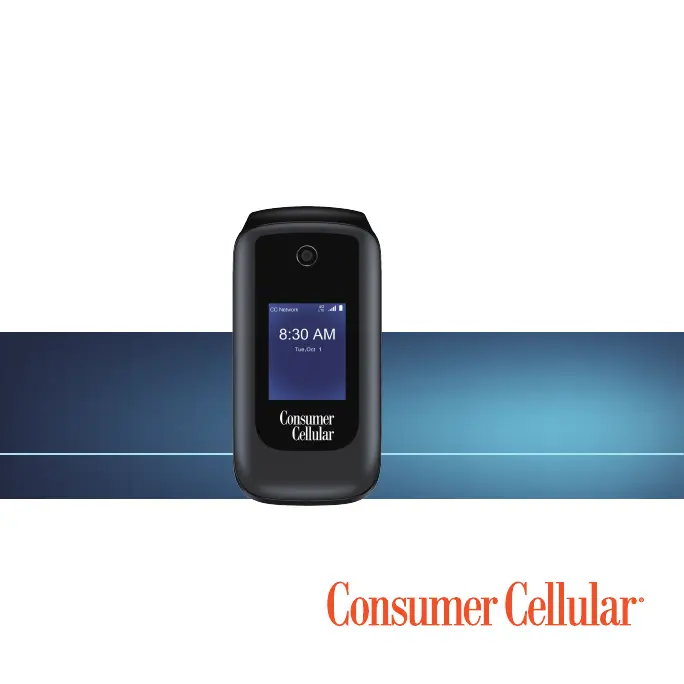
Consumer Cellular Link
USER GUIDE

Table of Contents

Other manuals for Consumer Cellular Link

Questions and Answers

Summary

Getting Started

Charging the Battery

Instructions for connecting the phone to a power source and charging its battery.

Powering Your Phone On;Off

Procedure for turning the phone on and off using the Power/End Key.

Key Functions

Explanation of the functions assigned to each key on the phone.

Personalizing Your Phone

Protecting Your Phone With a Screen Lock

How to set up a PIN or other lock to secure your phone.

Protecting Your Phone With Encryption

Instructions for encrypting phone data for enhanced privacy.

Knowing the Basics

Connecting to Networks and Devices

Connecting to Mobile Networks

Guide to selecting network types and operators.

Connecting to Bluetooth Devices

Instructions for pairing and connecting with Bluetooth devices.

Connecting Your Computer Via USB

Guide to connecting the phone to a computer using a USB cable.

Phone Calls

Placing and Ending Calls

Instructions on how to dial, answer, and end phone calls.

Answering or Rejecting Calls

How to answer, reject, or reject calls with a message.

Using Real-Time Text (RTT)

Guide to using Real-Time Text for conversations.

Calling Your Contacts

Guide to making calls to contacts stored on the phone.

Checking Voicemail

Instructions on how to access and manage voicemail messages.

Using Options During a Call

Available options during an active phone call.

Managing Multi-Party Calls

How to handle call waiting and set up conference calls.

Setting Up a Conference Call

Step-by-step guide to setting up a conference call.

Adjusting Your Call Settings

Overview of configurable call settings.

Contacts

Adding a New Contact

Steps to add a new contact with details like name and number.

Messages

Sending a Message

Steps for composing and sending text or multimedia messages.

Calendar

Camera

Capturing a Photo

Instructions for taking pictures with the phone's camera.

Recording a Video

Steps for recording videos using the phone's camera.

Gallery

Music

Video

Settings

Security

Setting up screen lock, SIM lock, and phone encryption.

System

Managing system settings like storage, connectivity, and accessibility.

Troubleshooting

For Your Safety

General Safety

Important safety precautions for using the phone.

Distractions

Warnings about distractions while driving or operating machinery.

Driving

Safety advice regarding phone use while driving.

Operating Machinery

Safety advice regarding phone use while operating machinery.

Battery Safety

Precautions and warnings related to battery usage and charging.

Emergency Calls

Limitations of wireless phones for emergency communications.

Electrical Safety

Safety precautions related to electrical components and accessories.

Radio Frequency Interference

Information on potential interference with medical devices.

Explosive Environments

Safety precautions for use in potentially explosive atmospheres.

Gas Stations and Explosive Atmospheres

Warnings for locations with explosive atmospheres.

Support

Consumer Cellular Link Specifications

General IconGeneral
Network TechnologyGSM / HSPA
2G bandsGSM 850 / 900 / 1800 / 1900
3G bandsHSDPA 850 / 1900
GPRSYes
EDGEYes
Expandable StoragemicroSD, up to 32 GB
LoudspeakerYes
3.5mm jackYes
WLANWi-Fi 802.11 b/g/n
GPSYes, with A-GPS
RadioFM radio
BrowserHTML
GamesYes
ColorsBlack
SpeedHSPA
StatusAvailable
TypeTFT
Alert typesVibration
BluetoothA2DP
USBmicroUSB 2.0
MessagingSMS, MMS, Email, IM
BatteryLi-Ion
Talk timeUp to 8 h

Related product manuals