Edition 04/2017 - CG400
SACOME, Document CONFIDENTIEL,
Ne peut être reproduit ni communiqué sans notre accord préalable.
- 25 -
13. READING AND RESET SHOT COUNTER
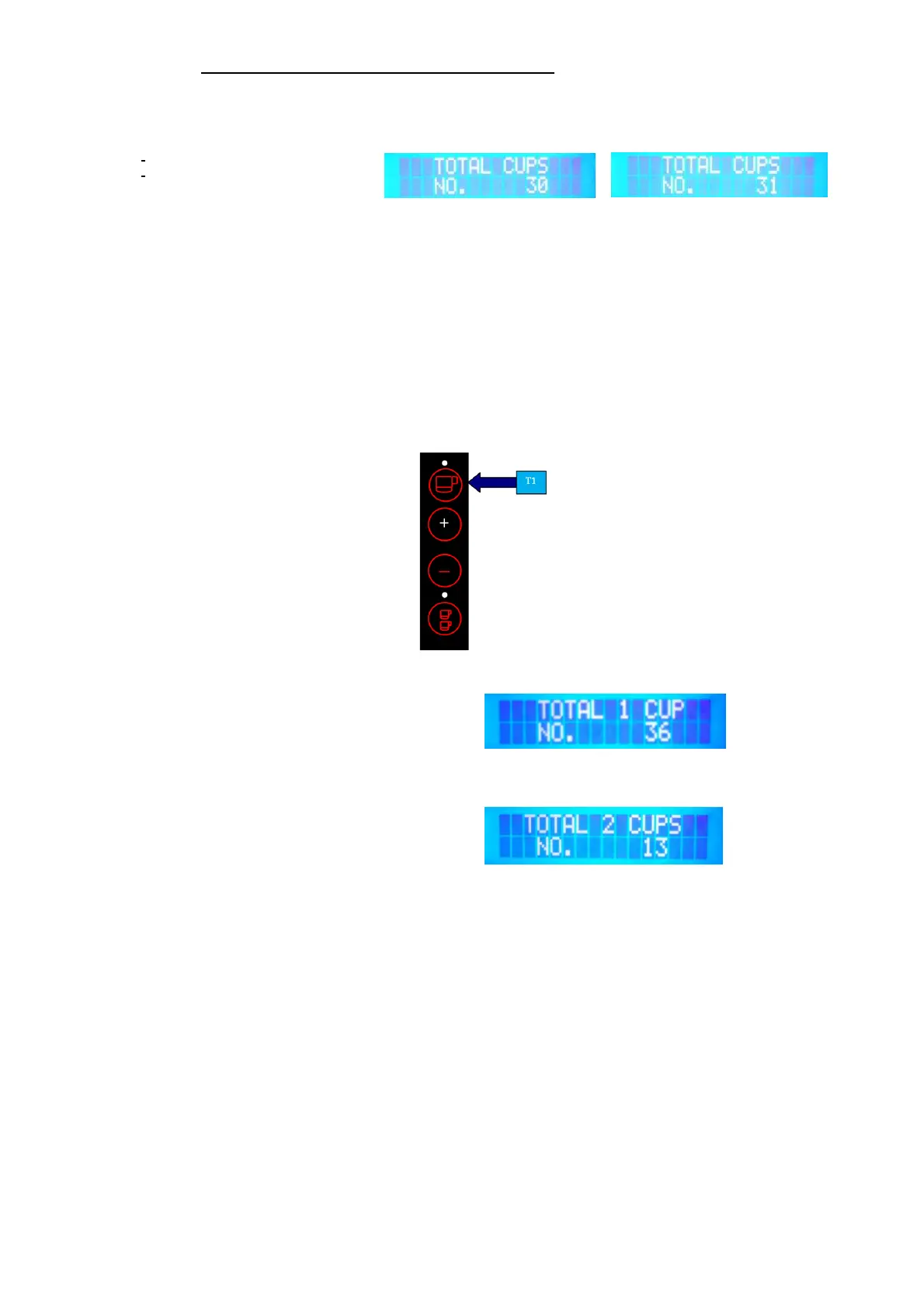
With each dose ground (either 1 or 2 cups), the grinder will memorize the shot(s) taken on the main board.
It will take about 10-15 sec. to save the data on the main board. 1 cup will count as one shot whereas 2
cups will count as 2 shots. See display illustrated below for 1 cup:
The total amount of shots for both 1 and 2 cups is illustrated every time the grinder is switched-on.
NOTE: The total amount of shots for both 1 and 2 cups cannot be reset (history counter). Only the
separate counter for 1 and 2 cups can be reset.
NOTE: The total number of shots that can be illustrated on the display is 999’999. Once achieved,
it will start counting again from 0.
VERIFY SHOT COUNTER FOR SINGLE & DOUBLE SHOTS
To check the number of shots already produced for both 1 and 2 cups, please proceed as follows: Push
and hold key T1 for more than 10 seconds.
(See Figure 6)
Ex.: Display shows number of shots for 1 cup: Figure 6
Push key T1 again and display will illustrate the total number of the double shots produced already (see
figure 7):
Ex.: Display shows number of shots for 2 cup: Figure 7
To exit, push key T1 again and the grinder will resume the Stand-by mode (see figure 1/2).
1 cup shot counter
1 cup shot counter after dispensing


 To Next Page