Edition 04/2017 - CG400
SACOME, Document CONFIDENTIEL,
Ne peut être reproduit ni communiqué sans notre accord préalable.
- 28 -
15. FONCTIONNALITES RESERVEES
This menu can be accessed by setting the correct password. We recommend that you change the
password immediately when you first access this section to refrain access to any unauthorized users. Save
password in a secure place. It CANNOT be reset.
These menu functions can be reached after typing in correct Password:
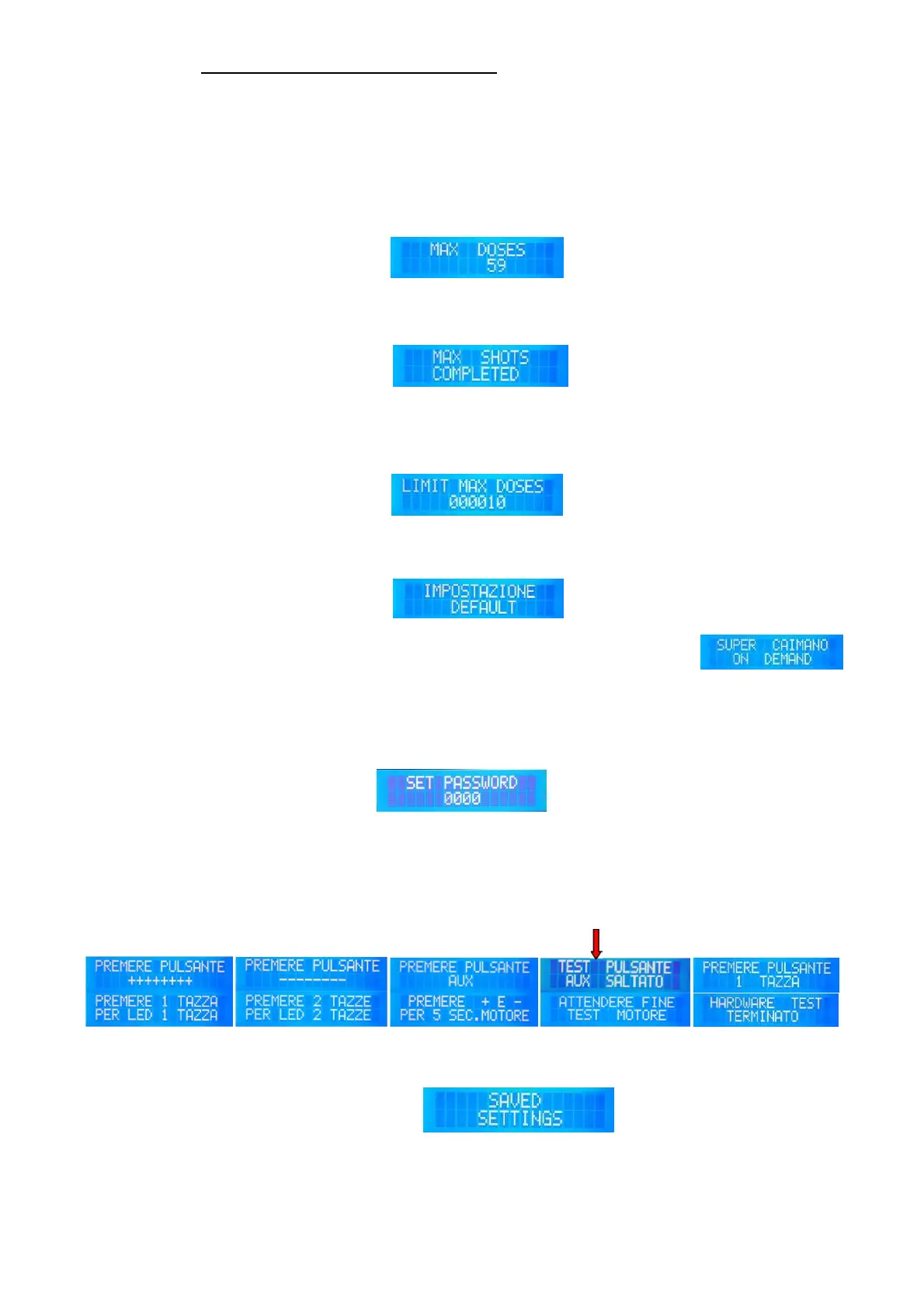
TOTAL DOSES
Display counter shows the
number of cups produced
which cannot exceed the
max. value set in the menu
“Limit Max Doses”.
If the max number of shots is
reached, counter must be
unlocked / reset by pushing
keys T2-T3. Then push key
T4 to save.
LIMIT MAX DOSES
In case of need, the max.
number of the shots can be to
set to limit the usage of the
grinder. If max. shots set are
reached, the grinder will “lock”
and not grind any coffee
before it is reset again.
DEFAULT SETTINGS
Push T3 to select default settings.
NOTE: The function “Time Lag” might be active in this configuration
SET PASSWORD
To set or change the password
Push T1 to move between
individual digits.
Push T2 (+) or T3 (-) to select
the desired number.
Push T1 to move to the next
digit.
Push T4 to save and exit.
HARDWARE TEST
Press T2 and T3 simultaneously
After last step “Motor Test”, push T1 to exit Tests and save values.
EXIT (incl.saving)


 To Next Page