While in Headless Mode, the forward direcon is the direcon the pilot faces when
the pilot pairs the drone with the remote control. If the pilot pushes the direcon
joysck forward, the drone will fly forward. If the pilot pushes the direcon joysck
backward, the drone will fly towards him/her. If the pilot moves the right sck le
or right, then the drone will also move le or right, relave to the pilot. It is very
important that the pilot does not change posions or the direcon he or she is
facing because this will cause misdirecon of the drone flight control.
When the drone dris to the right, press “ ” buon and the drone can be
corrected to the le.
When the drone dris to the le, press “ ” buon and the drone can be
corrected to the right.
When the drone dris to the front, press “ ” buon and the drone can be
corrected to the behind.
When the drone dris to the behind, press “ ” buon and the drone can be
corrected to the front.
- 18 -
Trim the Drone to Obtain More Balanced Flight
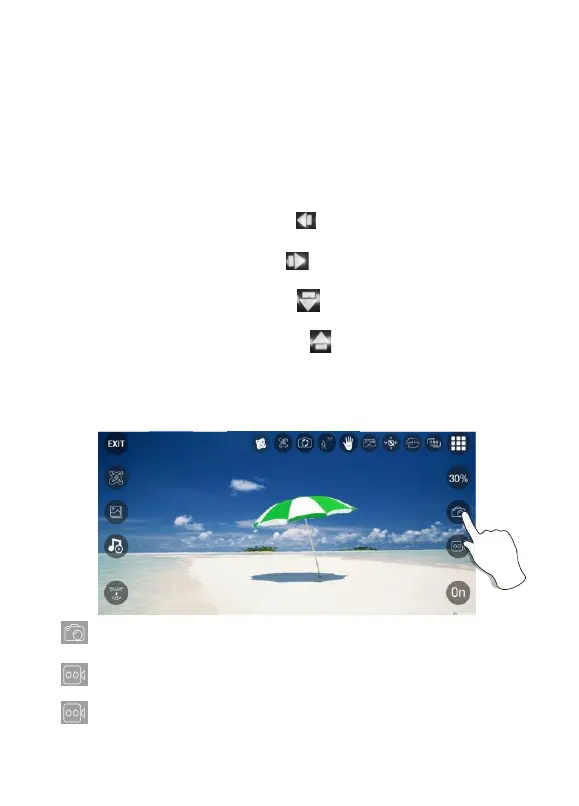
Tap “ ” on the app to take a picture. The white light in front of the drone and
the red light behind the drone will flash once, indicang the drone took a photo.
Tap “ ” on the app to take a video. The white light in front of the drone and the
red light behind the drone will flash twice, indicang the drone starts recording.
Tap “ ” on the app again to save video.
Photos and videos will be saved in the phone. DO NOT take photos while recording
video.
Camera Funcons



 To Next Page