2524
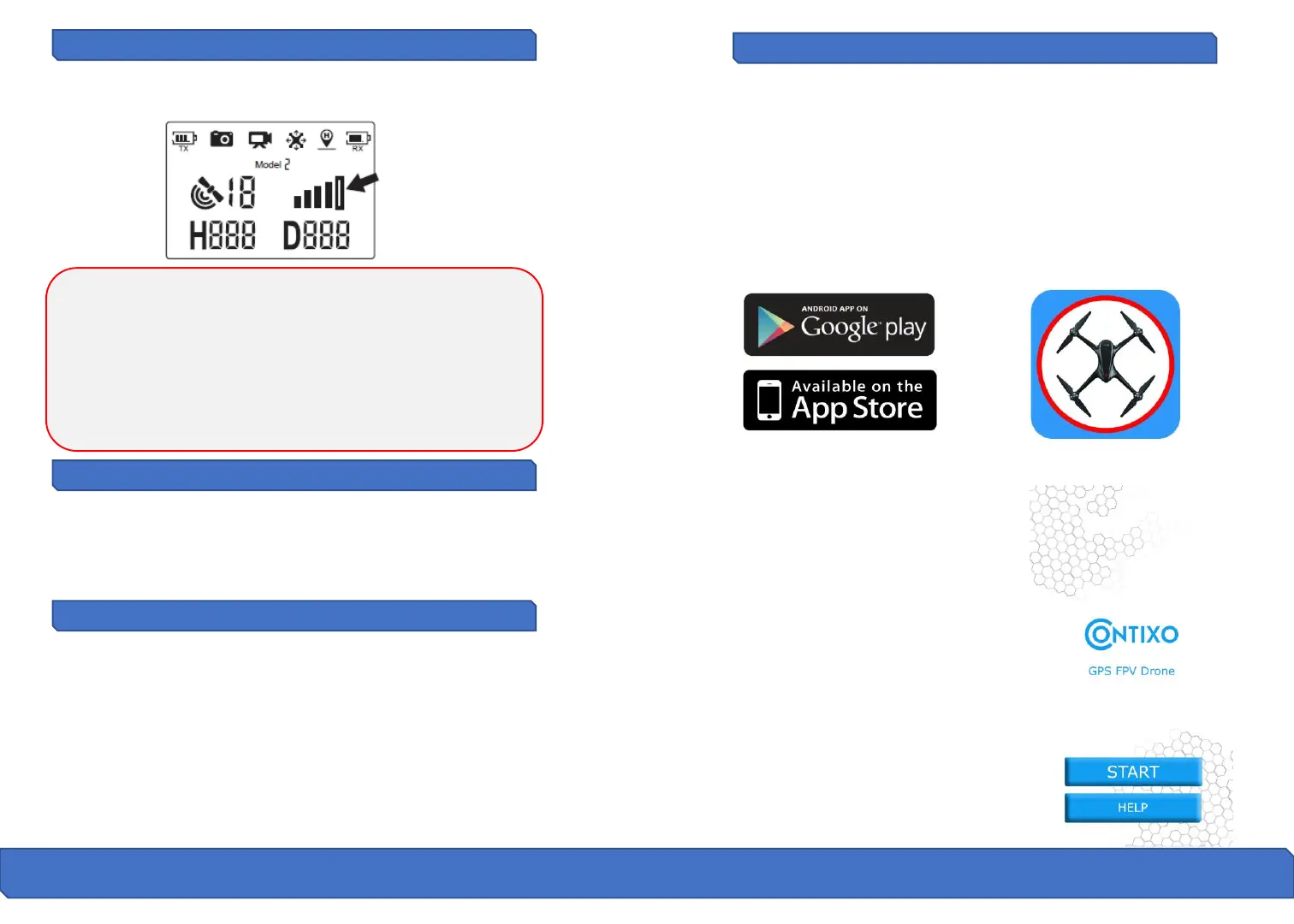
Signal Strength Indicator
Flight Preparation
Signal strength icon shows the strength of the received signal. The more,
the better. If the signal is weak or irregular do not fly the drone in the
same area.
● DO NOT attempt to fly over populated areas in case you lose
connection.
● During the Failsafe Return procedure, the drone can not avoid
obstacles.
● The drone cannot Return-to-Home if the GPS signal is weak (satellite
number is less than 7).
● If there is no GPS signal and the remote controller signal is lost for
more than 6 seconds, the drone will not Return-to-Home but instead
descend slowly until it lands on the ground and locks itself.
1. Link the remote controller with the drone.
2. Perform the drone initialization detection.
3. Perform the drone compass calibration.
4. Unlock the drone.
5. Slowly push the throttle stick upward and the drone will take off.
6. After you are done with your flight you must slowly pull the throttle
stick to bottom position to safely land the drone. Once it has landed the
drone will automatically lock itself.
7. Take out the battery from battery compartment of the drone and
store or recharge it for your next flight.
Pre-Flight Preparation
Before you take off, make sure that:
1. The drone and the remote controller are completely charged.
2. The propellers are installed correctly.
3. The motors work normally after unlocking.
Mobile Device Application
The Contixo F18 mobile APP is essential to operate your F18 Drone.
Please make sure that you have downloaded the “Contixo F18” APP to
your mobile device before you fly your drone.
Where to download "Contixo F18" APP:
For Android users, please go to Play Store, search "Contixo F18" and
download.
For Apple (iOS) users, please go to Apple store, search "Contixo F18" and
download.
How to link the " Contixo F18” App to the
camera:
Turn on the drone, then enter the phone
settings option. Turn on WIFI, find “Contixo
F18_XXXX” on the list and connect your
device to that WIFI signal.
Make sure that the mobile device and the
drone have successfully connected. Next,
exit settings and tap open the "Contixo
F18" App on your mobile device; click
‘START’ to enter the APP interface. You will
see a live feed from the drone camera and
you will be ready to use your app to record
videos, take photos, view your gallery, and
enter the VR Headset FPV viewer (VR
headset not included).



 To Next Page