1110
Product Assembly cont.
Remote Control Signal Connection
The throttle control mode is set to mode 2 by default.
Left hand and right hand throttle are available control modes for users
who prefer non-standard controls. There are 4 control modes.
The drone must be turned off for this to work.
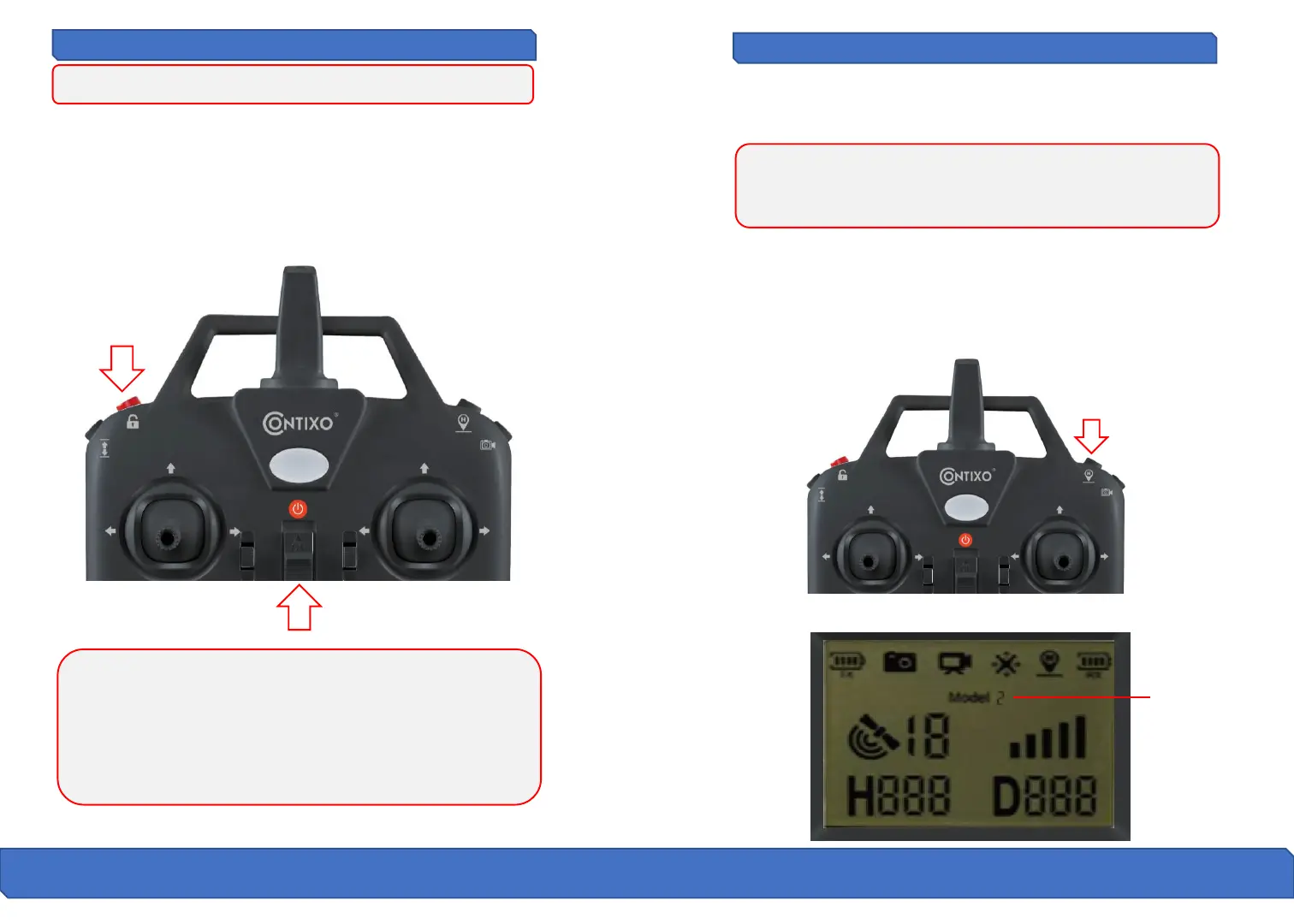
All you need to do is Simultaneously press the red button on top of the
remote and turn on the remote controller. The remote will send out 2
beeping sounds and the indicator light will keep flashing indicating that
the remote controller is now ready to pair.
At this point, prior to pairing to the drone, you are able to select the
control mode which best suits you, please see pg. 11 – 13 for throttle
control options.
Attention:
● Any interruption during pairing process will disrupt pairing
● You must not turn on the drone prior to this step otherwise you will
not be able to connect the drone and the remote successfully.
● This is the only time you can change between Remote Control Throttle
modes, if you wish to change modes after pairing you must turn off the
drone and the remote and repeat this process again.
Attention: To change between control modes, please make sure that
your drone is under signal connection status (the indicator light will keep
flashing). If not, the control mode can not be changed.
How To Change Between Control Modes
Long-press the return home button for 3 seconds to choose the desired
throttle control mode. The remote will beep when you change from one
control mode to the next. The mode number is shown on the LCD screen.
Control Mode Selection
Remote Control
Throttle Mode



 To Next Page