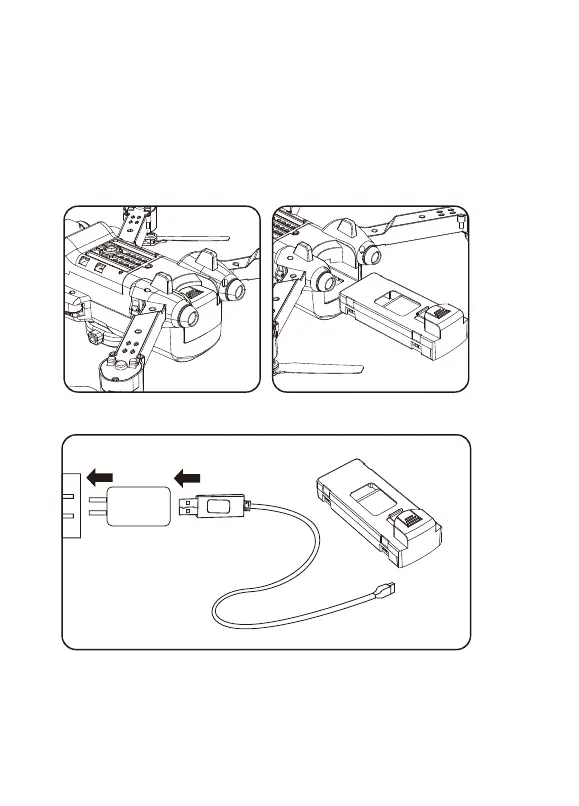
2. Intelligent Flight Baery
3. Charge the Baery
— To power ON, long-press the buon. To power OFF, long-press the buon.
— When the baery is at low power, the power indicator will start flashing.
At this me, return the drone immediately and charge the baery to avoid
unnecessary power failures.
- 7 -
A. Remove the lithium baery from the boom of the drone.
B. Connect USB charging cable with the charging interface of the
lithium baery.
Phone Charger Adapter:
5V/1A(Not included)



 To Next Page