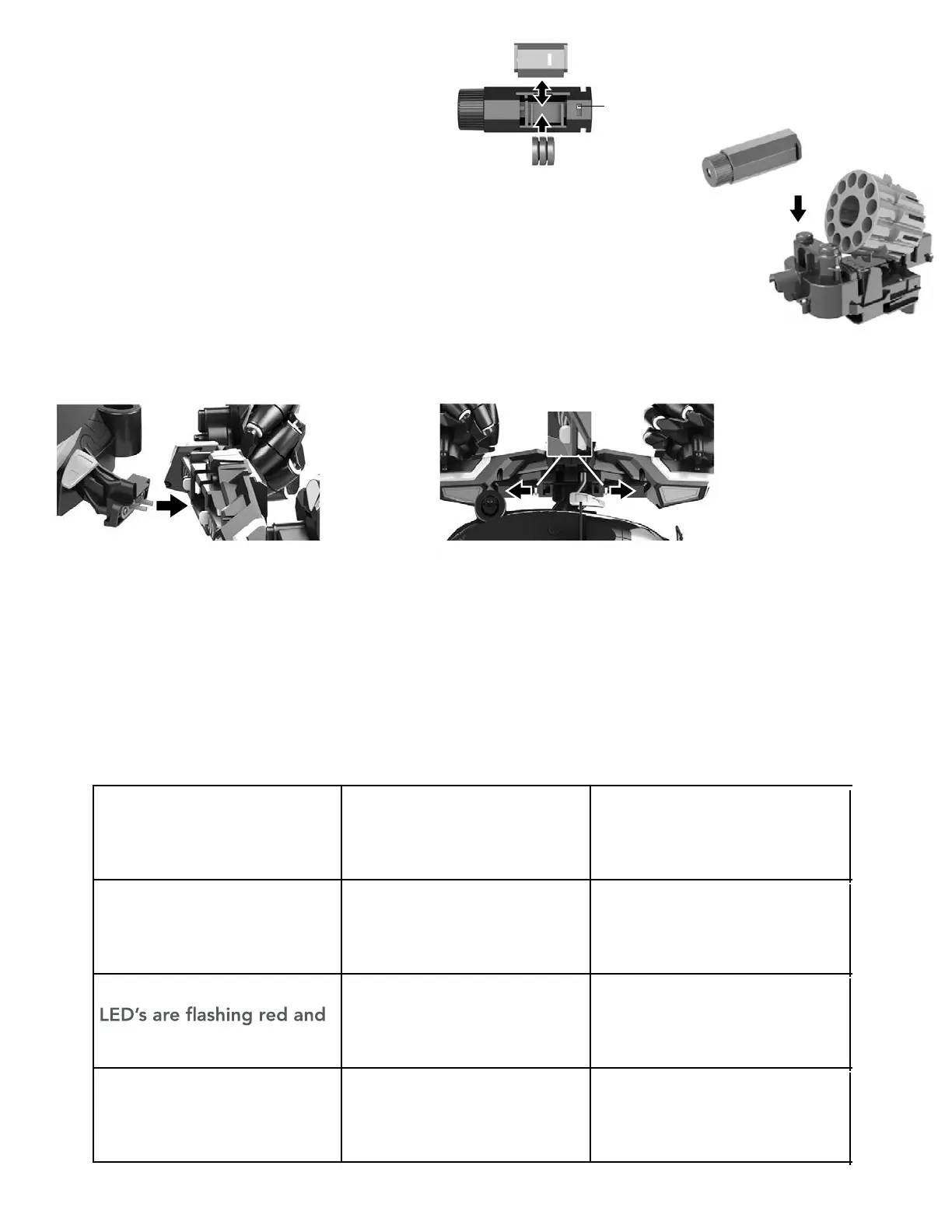
Aim Assist
Installation
1. Open the lid of the battery cover and
take out the insulating sheet to power
up the 3 included L1131 button
batteries. Close the cover.
2. Slide the Aim Assist into the notch
above the expulsion chamber of the
bullet launcher.
On/Off
Switch
5
Troubleshooting
Assembling and Disassembling the Wheels
Disassembling the Wheels
Pull the switches on the inside of the wheel
attachment outward and pull the Battle Brain
away from the attachment.
Assembling the Wheels
Insert the Battle Brain into the socket of the
wheel attachment. You should hear the spring
loaded mechanism click into place.
*
Please make sure the connection is in place.
Symptom Cause Solution
Combat Commando won’t
automatically pair with
remote
•
•
•
Battery are low
• Needs to be re-paired
with the remote
Charge the battery or
replace the battery of
remote control
Combat Commando’s
green
Battery are low Charge the battery
Re-paired with the remote
Robot keeps
switching off
Battery are low or faulty Charge the battery



 To Next Page