12
Setting the Fan Operation Jumper
Depending on your home’s heating system, you may need to change the jumper setting for the fan operation.
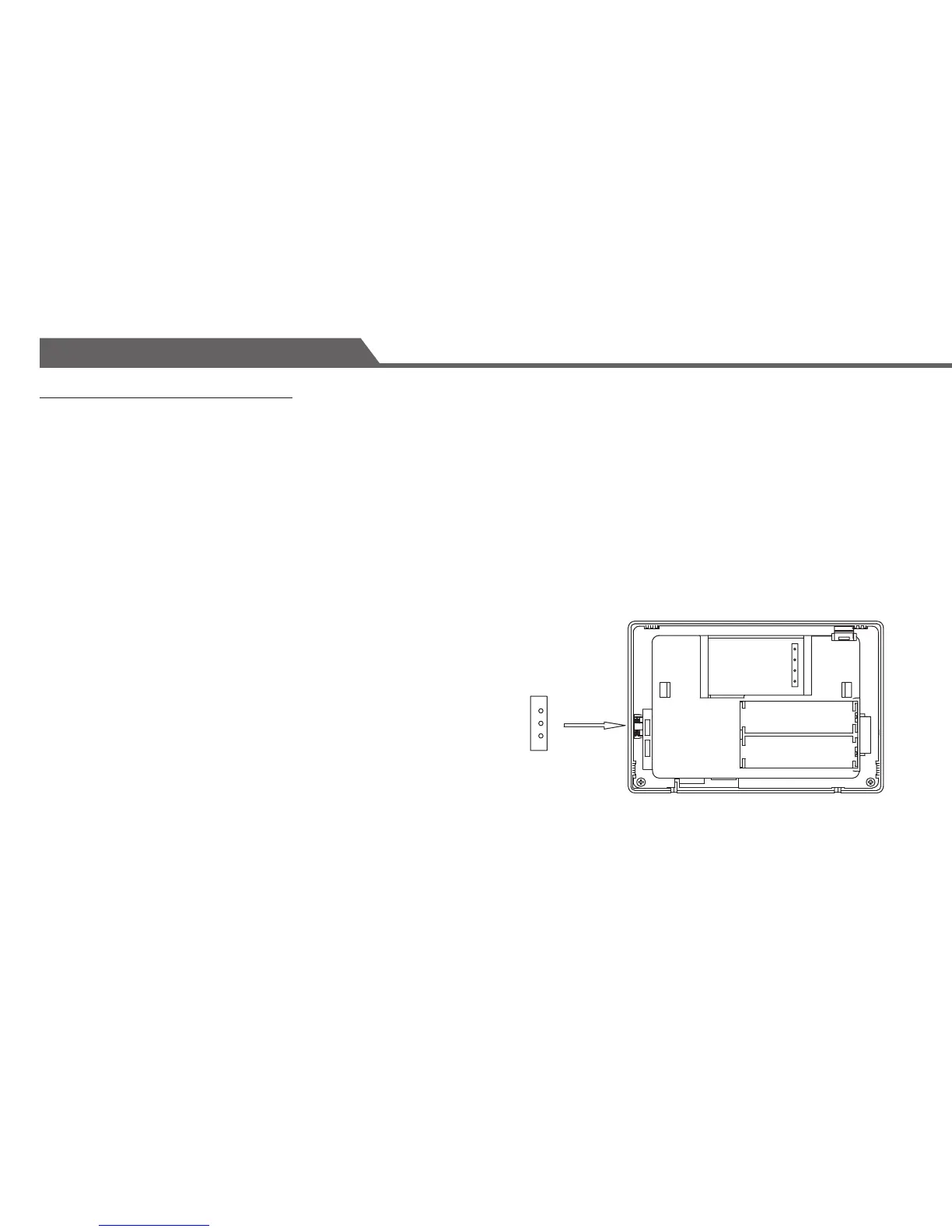
The jumper is located at the lower left-hand side of the back of the thermostat.
HG - Use this setting for gas or oil-fired furnaces.
This setting allows the fan operation to be controlled by the heating system; not the thermostat.
This is the correct setting for most systems.
HE - Use this setting for electric heating systems.
With this setting, the thermostat will turn on the fan immediately with the heating system.
The jumper is pre-installed in the ‘HG’ position as a factory default.
So there is no need to change the jumper if this is the correct setting.
To change the jumper setting, pull out the small black rectangular block
and align it to the new position and push it in fully.
Installation
HG
W
G
Y
R
HE
HG
HE
W
G
Y
R


 To Next Page