Xytronix Research & Design, Inc. Page 21
WebRelay-10 Plus™ Users Manual
In the event that the IP address or passwords are forgotten, WebRelay-10 Plus™ may be restored to its original
factory default settings.
1. Remove the DC power from the unit. This will also de-energize any relay coils.
2. Use a thin, non-conductive object (such as a toothpick) to press and hold the small button located next to
the RJ-45 connector and Ethernet port. When the object is inserted, a tactile feedback can be felt as the
button is pressed.
CAUTION: DO NOT USE METAL OBJECTS FOR THIS FUNCTION.
3. While depressing the button, the green and yellow network LEDs will ash, apply power and wait for about
10 seconds before releasing the button. All settings will be back to the original factory defaults. log.txt and
syslog.txt are retained.
4. Refer to Section 2.3 Establishing Communications for Setup to begin reconguration of the device.
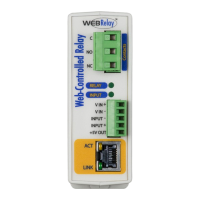
Figure Appendix A.1 - Restore Factory Defaults
Appendix A: Restoring Factory Default Settings



 To Next Page