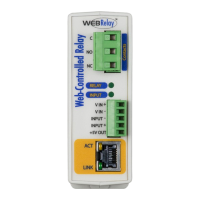
WebRelay-10 Plus™ Users Manual
Xytronix Research & Design, Inc. Page 2
Table of Contents
Section 1: Introduction ...............................................................................................................................................5
1.1 Features ...........................................................................................................................................................6
1.2 Applications .....................................................................................................................................................6
1.3 WebRelay-10 Plus™ Models Available ..........................................................................................................7
1.3.1 Optional Accessories ...................................................................................................................................7
1.4 Connectors & Indicators .................................................................................................................................8
1.5 Accessing WebRelay-10 Plus™ .....................................................................................................................9
Section 2: Installation and Setup ............................................................................................................................10
2.1 Mounting ........................................................................................................................................................11
2.2 Connections ...................................................................................................................................................12
2.2.1 Power Supply Connection .........................................................................................................................12
2.2.2 Relay Connection ......................................................................................................................................12
2.2.3 Network Connection ..................................................................................................................................12
2.3 Establishing Communications for Setup ...................................................................................................17
2.3.1 Option 1: Assign a temporary IP address to the WebRelay-10 Plus™ .....................................................17
2.3.2 Option 2: Assign a temporary IP address to conguration computer ........................................................18
2.3.3 Open Conguration Web Page .................................................................................................................22
Appendix A: Restoring Factory Default Settings .................................................................................................131
Appendix B: Installing New Firmware ...................................................................................................................132
Appendix C: Accessing WebRelay-10 Plus™ Over the Internet .........................................................................133
Appendix D: Log Files .............................................................................................................................................137
Appendix E: External Server and Remote Services .............................................................................................140
Appendix F: SNMP Requests, Objects and Community Strings ........................................................................142
Appendix G: BASIC Scripts ....................................................................................................................................145
Appendix H: Specications ....................................................................................................................................146
Appendix I: Warranty ..............................................................................................................................................147
Appendix J: FCC Statement ...................................................................................................................................148



 To Next Page