Starting the air conditioner
Step 1: Ensure the cooler is plugged in and
switched on.
Step 2:
Step 3:
Step 4:
Cooling mode
Dehumidifying mode
Fan mode
Step 5:
!
Lift up the air outlet vent ready for
use.
Press the ON/OFF button on
the remote control or ON/OFF button on the
Control Panel to start the air conditioner.
Press the MODE button on the
Control Panel or Remote Control to select
the desired operating mode indicated by a
light colour change on the Display Panel
(Fig 7, 8 &10):
- Refrigerated Cooling.
Cooling will occur if the set temperature
is less than the room temperature. Blue
light indicated
- for extracting
moisture from the air. Yellow Light
- Fan only operation (no
cooling). Green Light
Press buttons on the
Control Panel or on the Remote Control to
select the desired operating ‘set’
temperature.
Do not set the cooling temperature too
low. This will consume more power. 24°C is
the recommended set temperature, with
high fan speed.
Changing the set temperature will
have no effect in DEHUMIDIFYING or FAN
modes.
The display can toggle between °C
and °F by pressing both the and
buttons on the control panel together and
holding for 2 seconds.
or
The set temperature range is 16°C-32°C
for cooling
Tip
Note!
Note!
!
NOTE:
WASTE BATTERIES SHOULD
BE DISPOSED OF CORRECTLY
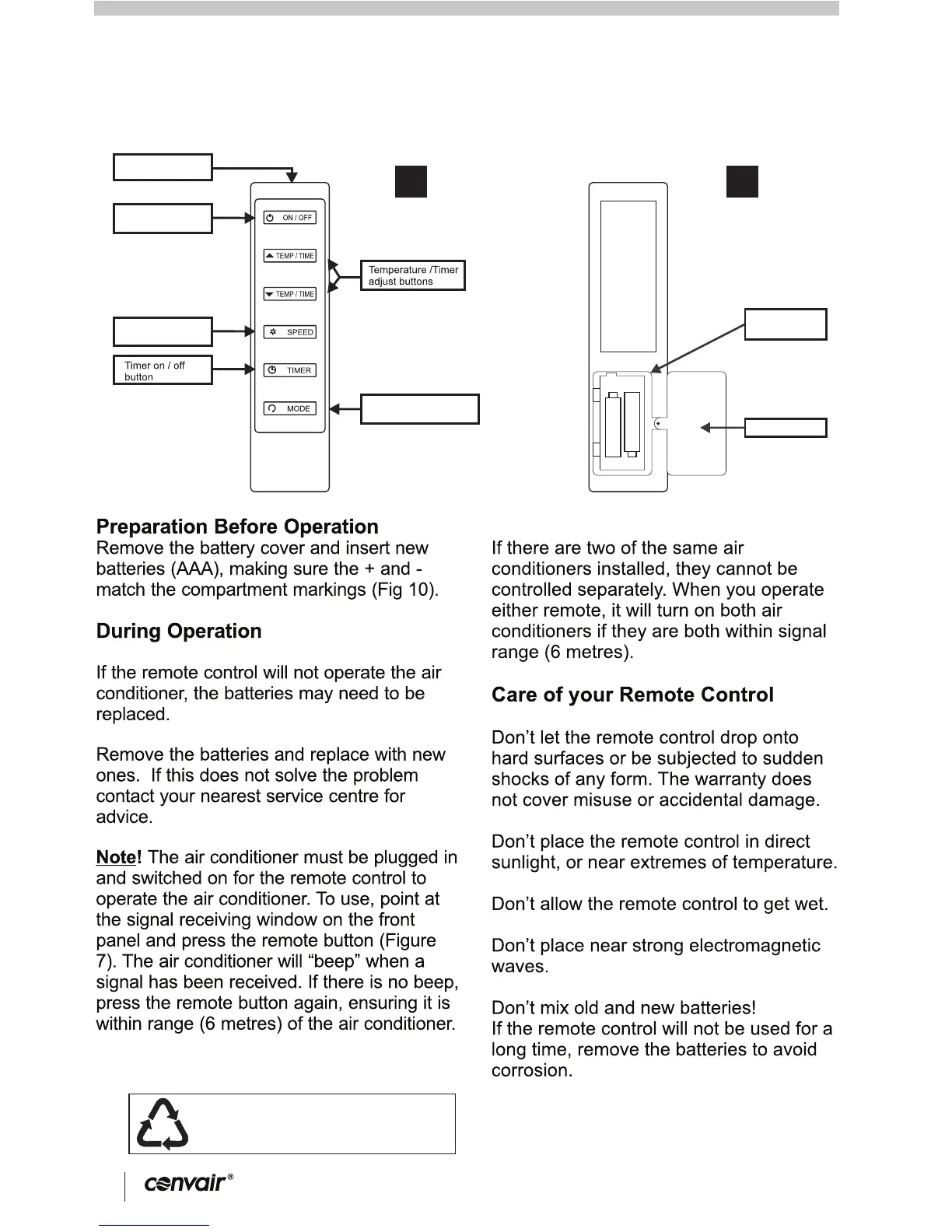
REMOTE CONTROL
6
CP12CW2 Portable Refrigerated Air Conditioner
7
8
9
Signal
transmission point
Power ON / OFF
button
Fan speed
adjust button
Mode buttons
(Cool-Dehumidify-Fan)
Battery
compartment
Battery cover
10
11



 To Next Page