11
CLEARING TRIP METER, MAX AND AVERAGE SPEED
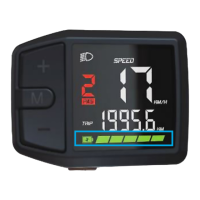
Turn the system on, AFTER 10 Seconds press and hold ‘M’.
The screen will switch to the ‘data clear’ mode, alternately showing
Max/average speeds and the trip meter.
Press ‘M’ to clear data and exit to the main user mode.
After 5 seconds and no key press, the display will switch back to main
user mode without clearing data.
1.
2. Press and hold
after waiting 10
Seconds
DATA RESET


 To Next Page