6
VIEWING THE MAIN USER INFORMATION
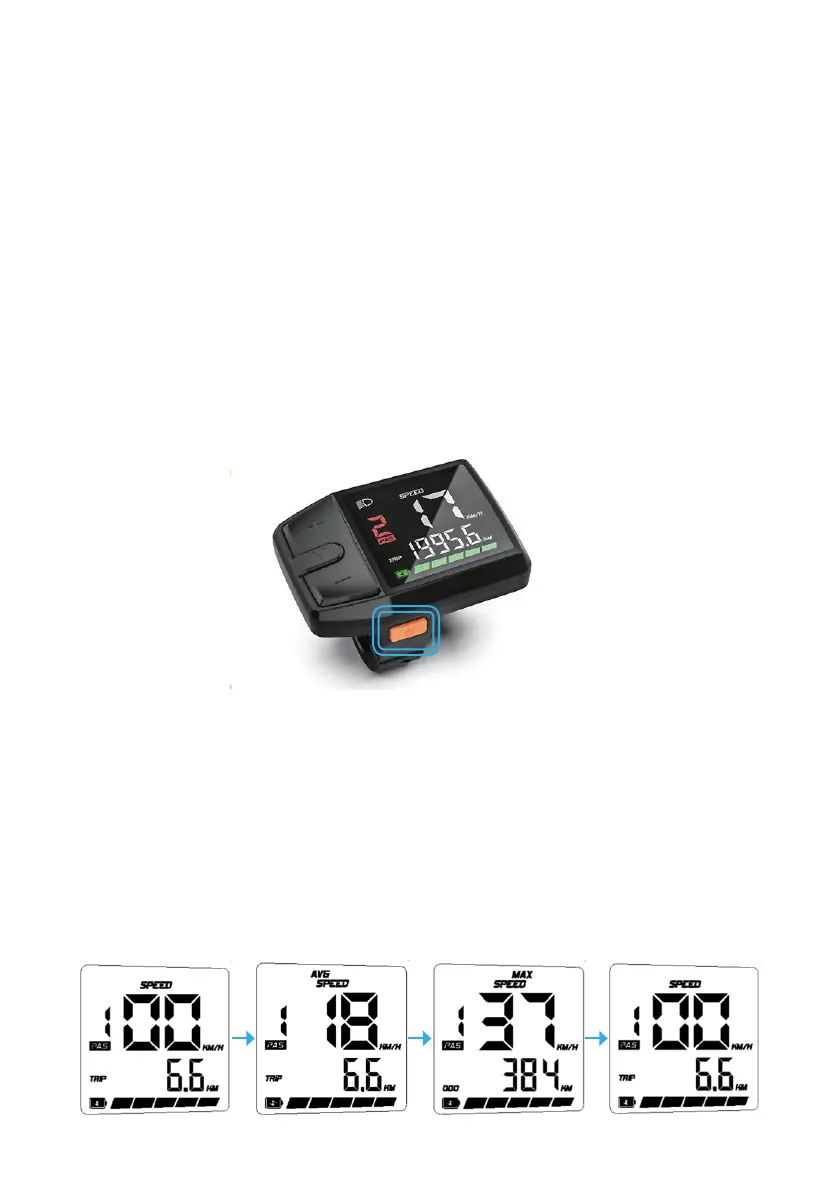
After starting up the display the default main user screen is ‘speed’.
Press Mode to change the indicated information in sequence as below:
Running Speed + Trip Distance> Average Speed + Trip Distance >Max
Speed + Odomater Distance .
TURNING THE SYSTEM ON AND OFF
Ensure the switch on the battery is in the ‘On’ position.
Hold the Display Power button for 2 seconds then the display will power
on.
With the display on, holding the Power button for 2 seconds will turn off
the system.
Additionally, you can shut the system down by turning the battery off.
MAIN USER SCREEN


 To Next Page