Steljes Audio . ConXeasy SWA401 User Guide 5
CONTROL PANEL AND REAR PANEL
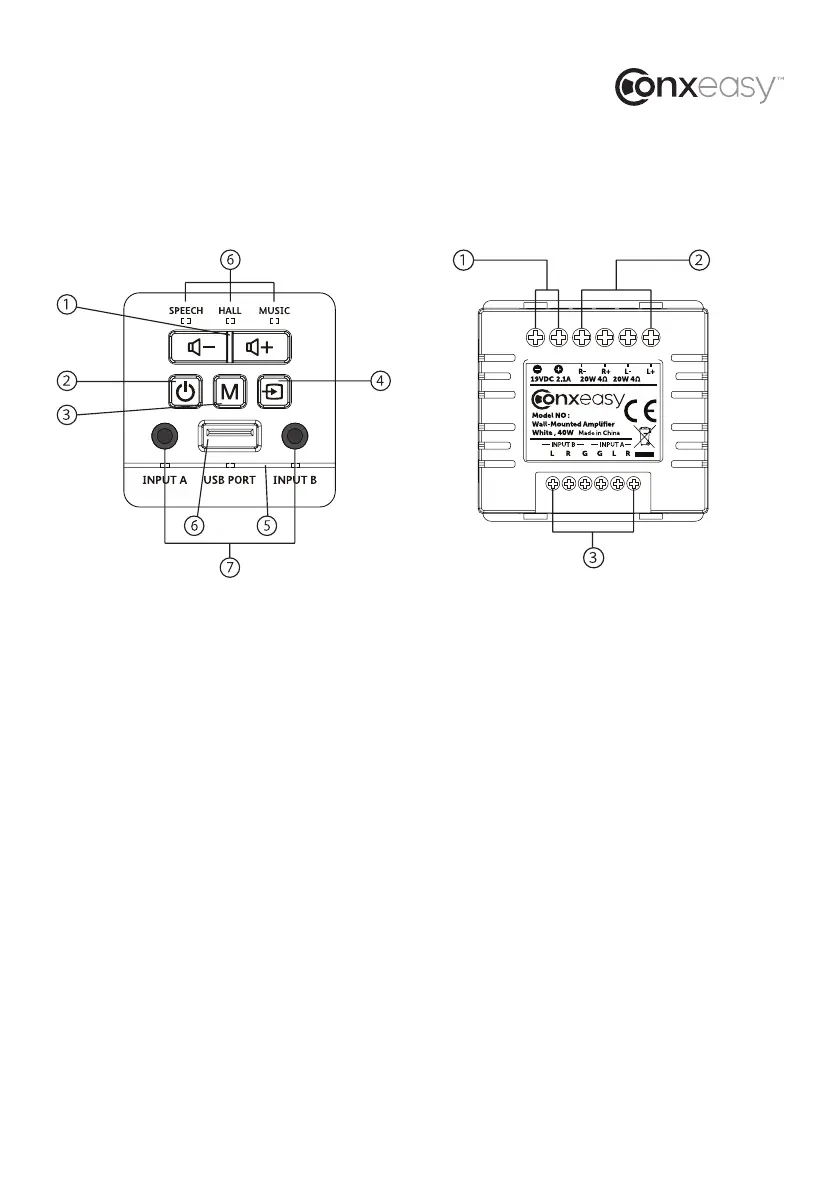
FRONT PANEL CONTROLS
1. Volume
2. Power
3. Mode
4. Source
5. IR sensor area
6. USB Port (see following page)
7. Audio Input
REAR PANEL FEATURES
1. DC Input: This 19V DC, 2.1A input connects
to the included power supply. Once
connected, the power supply can plug into
any AC power source.
2. Speaker Output: The speaker output
section terminates with standard audio
wire. This provides the amplified audio
signal to the attached speakers.
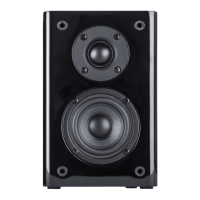
The SWA401 AMP is designed for a pair of
4-ohm speakers or a single stereo speaker
rated at 4-ohms per channel.
3. Audio Inputs A and B: These inputs
allow up to two line level sources to be
permanently hardwired into the back panel.
Selection for source playback is made
through from the front panel A/B button or
the wireless remote control. The inputs are
automatically overridden when one of the
front panel audio inputs is used.
SWA401-AMP



 To Next Page