9
6.Beginanoperation
a.
Pressthe‘Left/Right’buttontoselecttheleftpan,therightpanorbothpans.Abeep
willsoundeachtimethisbuttonispressed.
◦
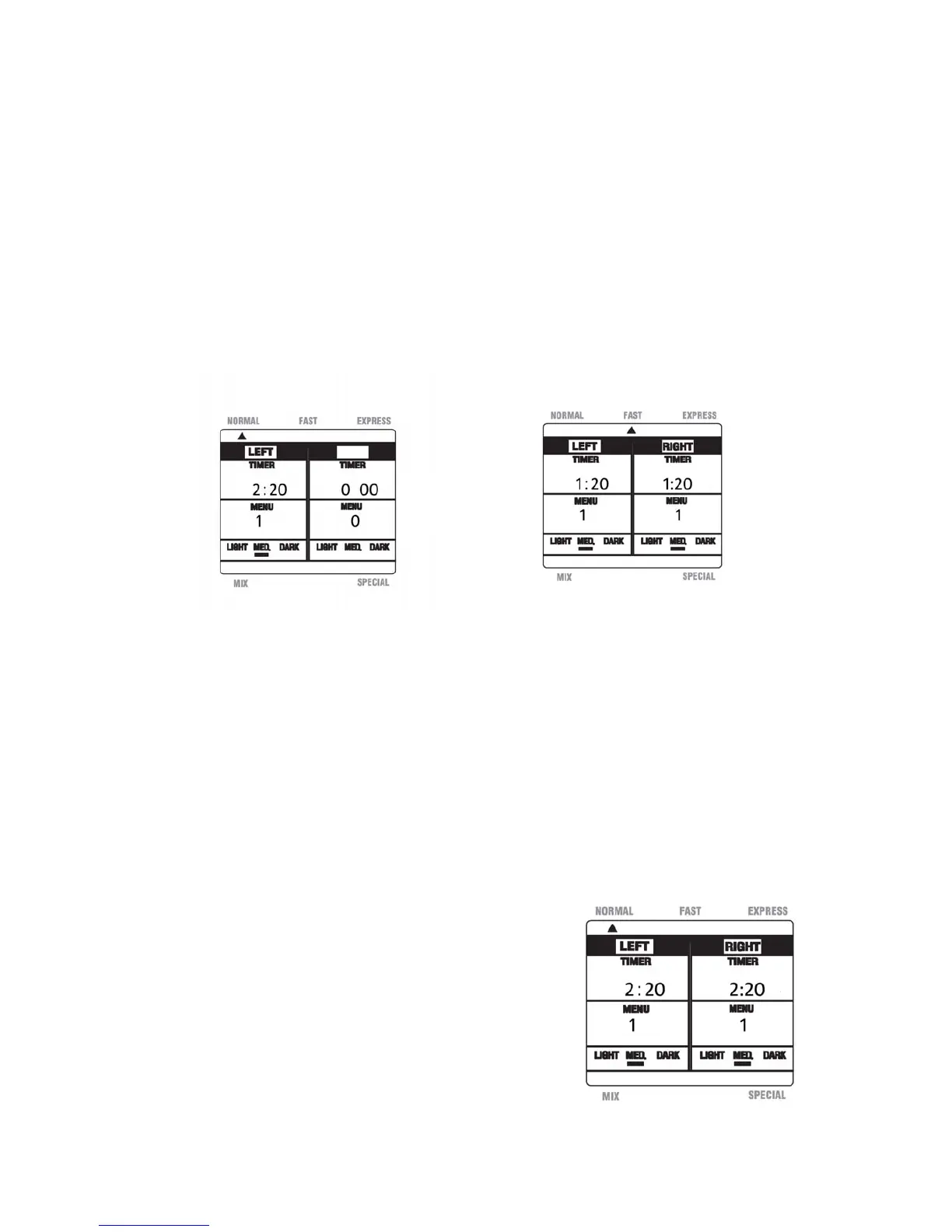
Pressoncetouseonlytheleftside.‘LEFT’willdisplayontheLCD.(SeeFigure10)
◦
Presstwicetouseonlytherightside.‘RIGHT’willdisplayontheLCD.
◦
Pressthreetimestousebothsides.Both‘LEFT’and“RIGHT’willdisplay.
Notes:Ifbothsidesshowinformationotherthan0:00thisindicatesthatbothsideshave
beenselected.
Ifusingbothpans,notethatthesamemodemustbeselectedforbothsides.
Ifyouchoosetouseonlyoneside,bothrotatingaxleswillturn,butonlytheside
youhavechosenwillheat(Ifapplicable).
b. Press the ‘Mode Select’ button until the desired mode is displayed, NORMAL, FAST or
EXPRESS.Thiswillbeindicatedbya smalltriangleontheLCD.(SeeFigure11above
fortheFASTmode) A beepwillsoundeachtimethisbuttonispressed.
c. Pressthe‘Menu’button
untilthedesiredmenuselectionisdisplayed,1Basic,2Sweet,
3 French or 4 Wheat.The timer and menu information on the LCD will be updated
accordingly.Abeepwillsoundeachtimethisbuttonispressed.
◦ Forexample,ifyouselect‘1’forBasicbreadunderthe‘NORMAL’mode,theLCD
willdisplay2:20undertheTimer.(SeeFigure12)
Notes: Ifusingbothpans,youmaychoose
differentmenuselectionsforeachside.
Thepresetis‘1’,Basicbreadforbothsides.
Tocyclethroughtheoptionscontinueto
pressthe‘Menu’buttonuntilyourselections
aredisplayed.
Fig.10 Fig.11
Fig.12


 To Next Page