10
d.
Pressthe‘Color’buttonandselectbetweenLIGHT,MED.andDARK.Theoption
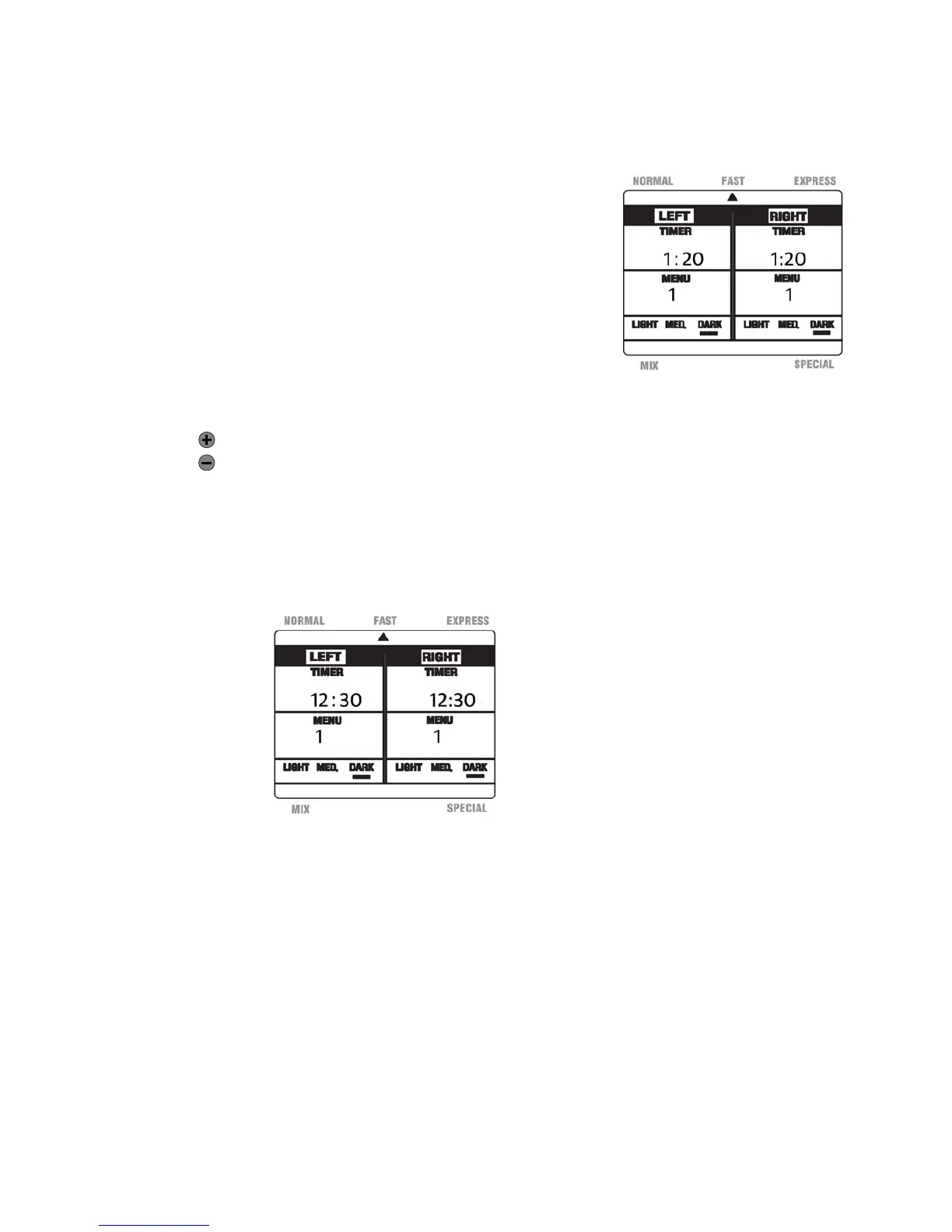
selectedwillbeunderlinedwithablackbarontheLCD.(SeeFigure13fortheDARK
colorintheFASTmode)Abeepwillsoundeachtimethisbuttonispressed.
Notes: Colorselectionisapplicablewiththe‘NORMAL’
and‘FAST’modes.
Ifusingbothbreadpans,youmaychoosedifferent
colorselectionsforeachside.
ThepresetisMED.
e.
UsetheTimer,‘+’or‘‐‘buttonstodelaythe
completionofthebakingprocess.Pressthe,‘+’or‘‐‘
buttonstoincreaseordecreasethedelaytimer.
—Increasesthetimein10minuteintervals
—Decreasesthetimein10minuteintervals
◦ ForExample,ifthecurrenttimeis7:30PMandyouwanttodelaythe
completionofthebakingtimeto8:00AM,determinethedifferencebetween
thedelayedfinishtimeandthecurrenttime.Inthiscase,thisis12.5hours.
PresstheTimer‘+’buttonuntiltheLCDdisplayindicates‘12:30’.(SeeFigure
14)Thebreadwouldbereadyforserveafter12andahalfhours.
Notes:Thedelaytimercanbesetforamaximumof13hours.
Thedelaytimercanbeusedwiththe‘NORMAL’and‘FAST’modes.
f.
Onceallselectionshavebeenmade,pressthe‘Start/Stop’buttonandholdfor2
secondstobeginthebakingprocess.Abeepwill
soundeachtimethisbuttonis
pressed.
Caution:Themainbodycangetveryhotduringthebakingprocess,andmayreleasehotair.
Note: ThetimerwillcountdowneachpartoftheprocessasoutlinedintheProgram
SpecificationChartinthismanual.
Fig.13
Fig.14


 To Next Page