The smoker will cook the product at the selected cooking temperature for the selected
cooking time and then change to the selected holding temperature until it is shut off
manually.
While Cooking the LCD display of the IQ4 continually displays oven status after the cook
cycle has been started. Using these features the kitchen staff can easily determine the
status of the load in progress.
Please note that the oven temperature displayed while the oven is running is the actual air
temperature inside the oven.
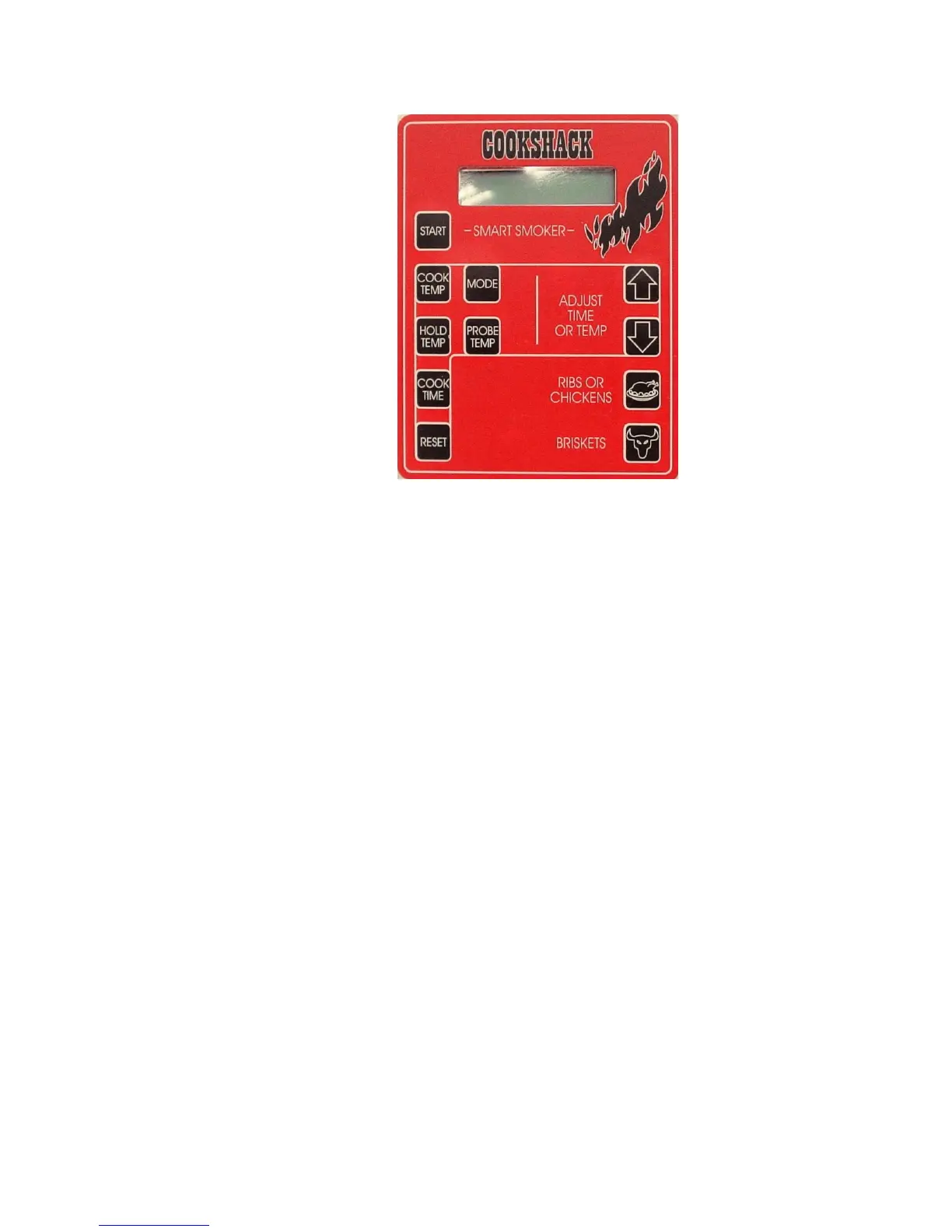
To display the set hold temperature, briefly press the “HOLD TEMP” button.
The IQ4 controller is equipped with two “PRESET BUTTONS” for easy selection of
common settings for popular foods. Pressing the button marked RIBS OR CHICKENS
will make the following settings:
Cook Temp 225°F
Hold Temp 140°F
Cook Time 3 hours
Pressing the button marked BRISKET will make the following settings:
Cook Temp 225°F
Hold Temp 140°F


 To Next Page