Page | 8
Cool Energy diverTech Manual v1.1 2022 ©
User Operation
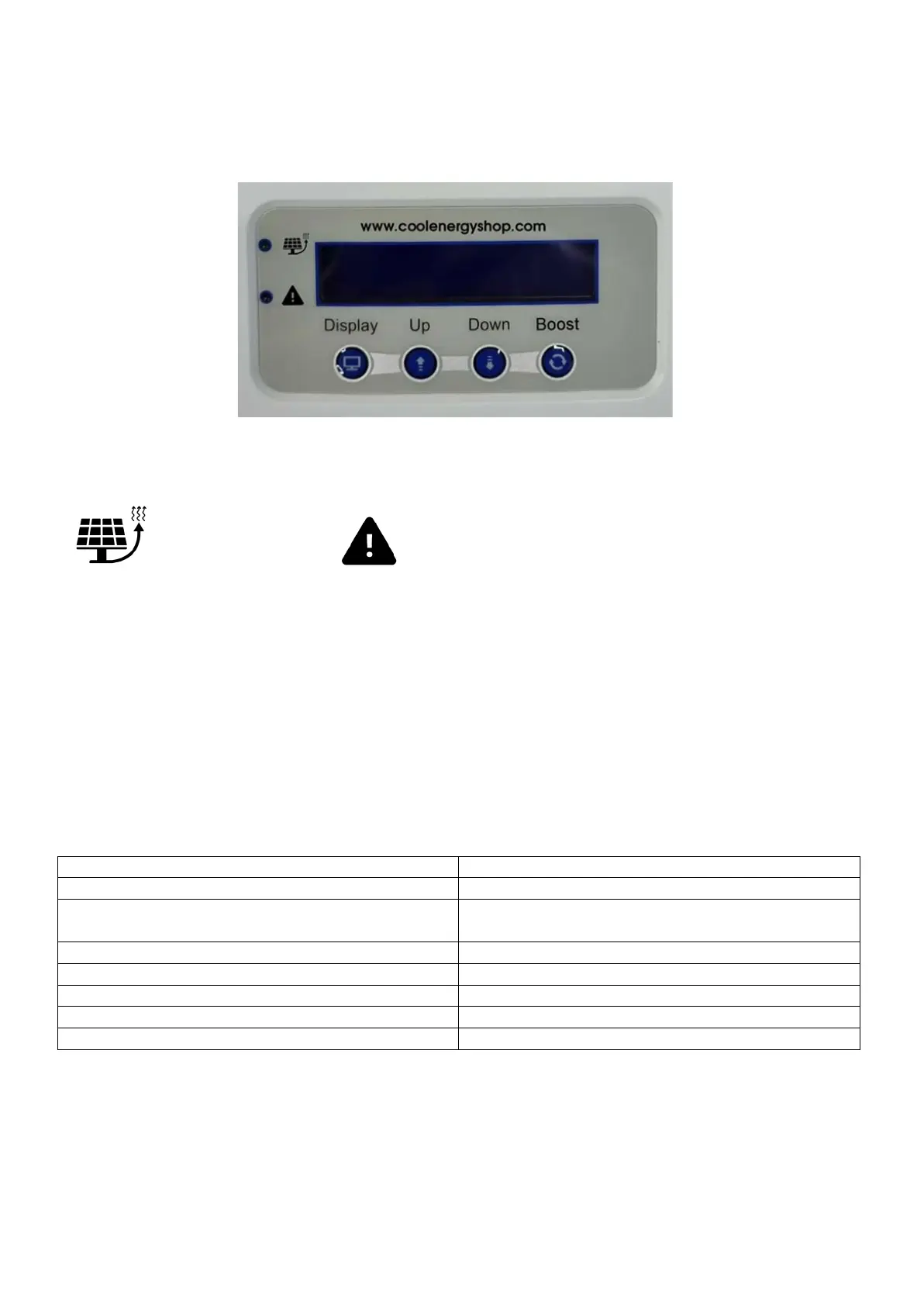
Icons:
Diverting Solar Energy Warning – Check Unit
Button Description:
Display – Use to scroll display for past / present savings and real time information.
Up / Down – Use to scroll through timing settings
Boost – Use to manually boost heater outputs
Displayed Information:
Shows real time energy being diverted
Displays when all elements are satisfied
Displays when there is no spare export energy to
divert
Shows the energy diverted today
Shows the energy diverted yesterday
Shows energy diverted over the past 7 days
Shows total energy diverted for all time
Current time in 24 Hour format
Reset Data:
Display + Boost Together – Clears all Software Data!
Reset Button (Under wiring cover) – Clears all Hardware Data!


 To Next Page