Centurion 534
English
3
Chapter 2: Installation
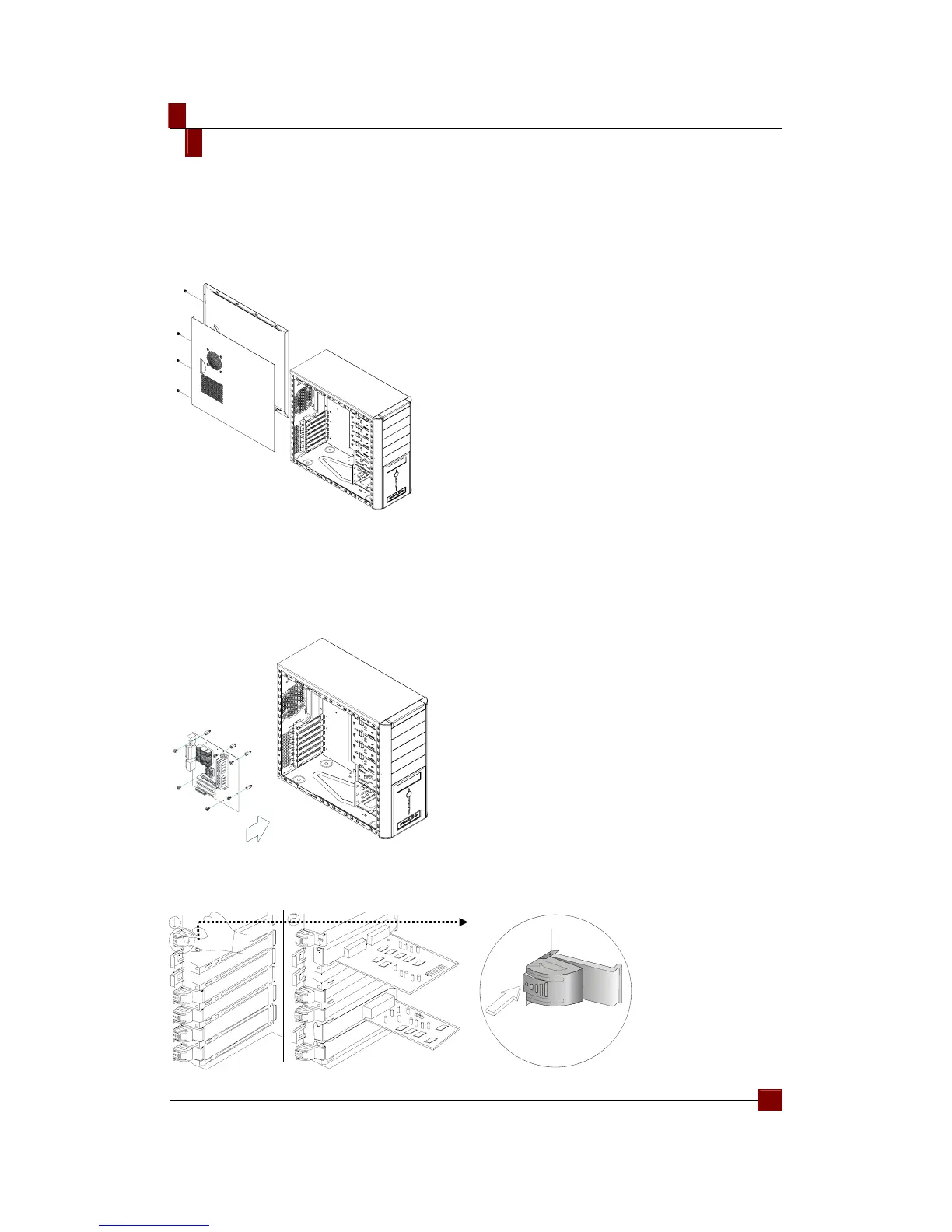
Removing side panels
1. Loosen the screws manually; slide the side casing backward to remove it.
2. To assemble it, please follow the above step reversely.
Installing the Motherboard
1. Remove the side casing.
2. Lie down the casing.
3. Aiming at the holes on the PCB, and secure the alumnus post with screws.
4. Align the holes of PCB and casing. Secure them by fastening screws on the
PCB.
Install add-on card
1. Press to loosen the latch on the inner casing.
2. Insert the add-on card.



 To Next Page