
 Need help?
Do you have a question about the Cooler Master Elite 130 Series and is the answer not in the manual?
Details the technical specifications of the Elite 130 Series computer case, including dimensions, weight, and component compatibility.
Lists the included hardware accessories and their quantities for assembling the computer case components.
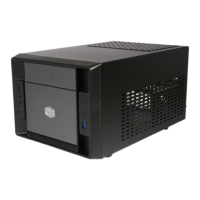
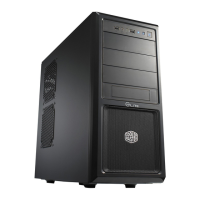
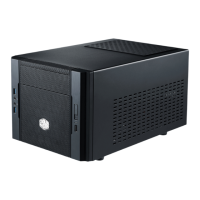
Visual representation of the computer case, showing front, top, and side views for reference.
Information regarding the maximum dimensions for components like VGA cards, CPU coolers, and PSUs.
Provides warranty details and conditions for the Elite 130 Series product.
Step-by-step instructions for safely removing the top panel of the computer case.
Guidance on mounting Solid State Drives into the available 5.25-inch drive bays.
Instructions for installing a radiator and a graphic card, including placement considerations.
Instructions for connecting the front panel I/O ports to the motherboard, including USB and audio.
 General
| Form Factor | Mini-ITX |
|---|---|
| Expansion Slots | 2 |
| Maximum GPU Length | 343mm |
| Maximum CPU Cooler Height | 65mm |
| Model Number | RC-130-KKN1 |
| Available Color | Black |
| Material | Steel |
| Drive Bays | 1 x 5.25" |
| Cooling System | 1 x 120mm fan |
| Front I/O Panel | 2 x USB 3.0 |
| Power Supply Type | ATX PS2 |
| Weight | 3.1 kg |
| Fan Support | Front: 120mm x 1 |
| Dimensions | 240mm x 207.4mm x 398.5mm |

 To Next Page