EasyManua.ls Logo

Cooler Master Centurion 534 - User Manual

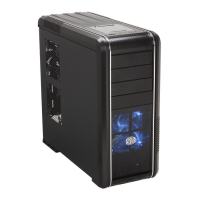
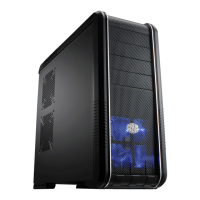
Cooler Master Centurion 534
6 pages
Print Icon
To Next Page IconTo Next Page
Loading...
Centurion 534
English
1
Warranty Information
Cooler Master guarantees that this device is free of defect in material and
workmanship, and provides a two-year limited hardware warranty for the device
commencing from the date of purchase. Please keep your receipt for proof of
purchase.
This product is designed for computer usage only. Using this device in any other
capacity voids the warranty. If you are not familiar with computer hardware
installation, please ask for professional assistance.
The warranty offered covers normal use. Defect or damage that result from
improper operation, storage, misuse or abuse, accident or neglect, which are not
the fault of Cooler Master, are exclude from warranty coverage.
Note: the warranty is voided by removal or alternation of product or parts identification labels.
Chapter 1: Product Overview
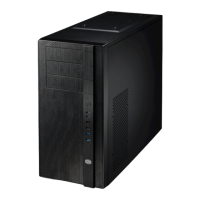
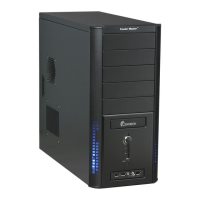
Specifications:
Available Color Silver
Dimensions L480 x W202 x H435 mm
Weight 9.7kg
Material Aluminum & Mesh bezel, SECC chassis
M/B Type ATX , m-ATX
5.25" Drive Bay 5 (Exposed)
3.5" Drive Bay 1 (Exposed); 4 (Hidden)
Cooling System One 120x120x25mm front Blue LED fan(Intake);
One 120x120x25mm rear fan (Exhaust) (Option)
I/O Panel USB2.0 x 2; MIC x 1; SPK x 1; IEEE1394 x 1
Power Supply Standard ATX PS2, 380W. support LGA775 (option)
!
Diagram:
Question and Answer IconNeed help?

Do you have a question about the Cooler Master Centurion 534 and is the answer not in the manual?

Summary

Warranty Information

Chapter 1: Product Overview

Specifications

Lists key technical specifications of the computer case.

Diagram

Visual representation of the computer case's layout.

Parts List

Fittings Pack

Details on accessory components for case fittings.

Screw Pack

Details on various screws included with the case.

Chapter 2: Installation

Removing side panels

Instructions for detaching the side panels of the computer case.

Installing the Motherboard

Steps for correctly mounting the motherboard inside the case.

Install add-on card

Guide on how to insert additional expansion cards.

Installing Drives (CD-ROM, FDD and HDD)

Procedure for installing storage devices like CD-ROM, FDD, and HDD.

Installing the power device

Steps to install the power supply unit into the case.

Replacing;Installing the Case Fan

Instructions for changing or installing case fans.

I;O Function Panel Installation Guide

Cooler Master Centurion 534 Specifications

General IconGeneral
Audio inputYes
USB 2.0 ports quantity2
Firewire (IEEE 1394) ports1
TypePC
Form factorMidi Tower
Product colorBlack, Silver
Supported motherboard form factorsATX
Drive bays5.25 - 5 (Exposed), 3.5 - 1 (Exposed); 4 (Hidden)
Power supply typeATX PS2
Ventilation fan(s)1 x 120x120x25mm
Weight and Dimensions IconWeight and Dimensions
Depth480 mm
Width202 mm
Height435 mm
Weight9700 g

Related product manuals