Centurion 534
English
5
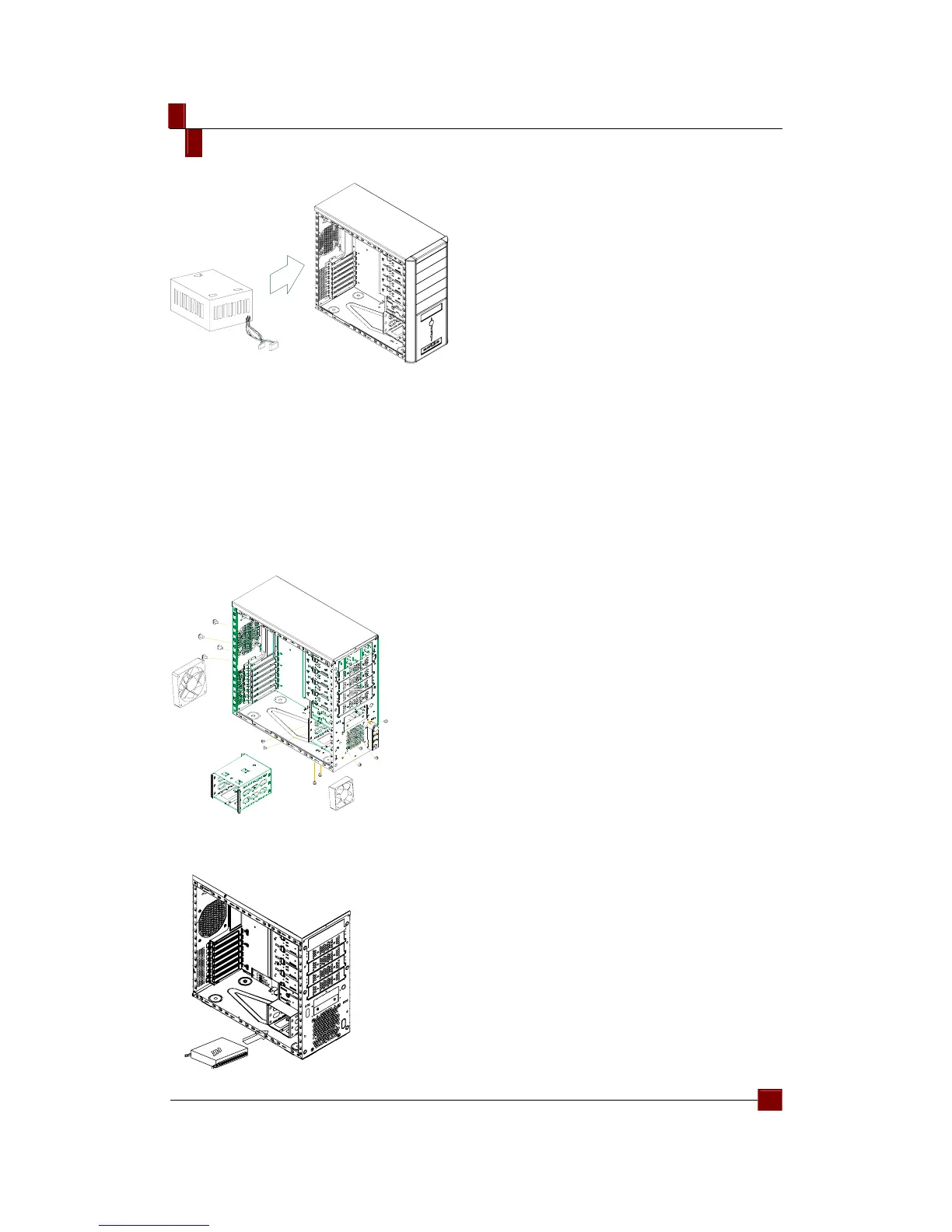
Replacing/Installing the Case Fan
Change the Front Fan
1. Remove the side casing.
2. Loosen the lower and side screws to remove the HDD bracket.
3. Loosen the fan screws from the front casing, and then remove the fan.
4. Install the new fan and secure it with screws. Continue to put it back on the
HDD rack and secure it with screws.
Change the Rear Fan
1. Loosen the fan screws from the rear casing and remove the fan.
2. Install the new fan and secure it with screws.
1. Take out the HDD rail from the package. Install it on the HDD and have the
screw holes aligned.
2. Insert the assembled HDD into the hardware rack.!
C
S
-
8
0
0
6
-
0
2
R
E
V
0
1



 To Next Page