
 Need help?
Do you have a question about the Cooler Master CM 690 and is the answer not in the manual?
Detailed technical specifications of the CM 690 chassis, including dimensions, supported components, and cooling system.
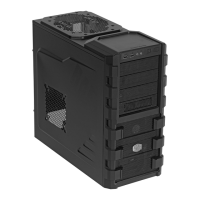
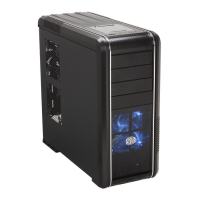
Visual representation of the CM 690 chassis, showing front, top, and side views with key ports.
Comprehensive list of all parts included with the CM 690 chassis, with quantities and item numbers.
Details the various screws, brackets, and accessories provided with the CM 690 chassis.
Step-by-step guide on removing the side panel and installing the power supply unit (PSU).
Instructions for properly installing the motherboard onto the chassis tray, including spacer placement.
Guide on how to install expansion cards (like GPUs or sound cards) into the available slots.
Instructions for installing 3.5-inch and 5.25-inch devices like optical drives or card readers.
Detailed steps for mounting and installing Hard Disk Drives (HDDs) into the chassis.
Guidance on how to install or replace cooling fans in various locations of the CM 690 chassis.
Final steps to ensure all components are securely installed and the chassis is closed.
 General
| Audio input | Yes |
|---|---|
| USB 2.0 ports quantity | 2 |
| Firewire (IEEE 1394) ports | 1 |
| Type | PC |
| Form factor | Midi Tower |
| Certification | nVIDIA SLI |
| Product color | Black |
| Supported motherboard form factors | ATX, Micro ATX |
| External drive bays | 5 x 5.25\ |
| Internal drive bays | 5 x 3.5\ |
 Weight and Dimensions
| Depth | 524.5 mm |
|---|---|
| Width | 213 mm |
| Height | 482 mm |
| Weight | 9800 g |



 To Next Page