
 Need help?
Do you have a question about the Cooler Master SGC-2100(scout-2) and is the answer not in the manual?
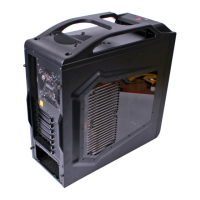
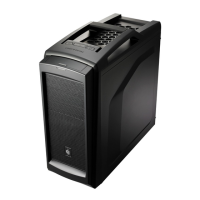
Detailed technical specifications of the computer case model.
List and usage of included accessories for case assembly and management.
Critical warnings regarding CPU cooler and graphics card installation.
Diagrams and pinouts for front panel I/O connections to the motherboard and case.
Detailed steps for mounting a 3.5-inch hard disk drive into the case.
Details on who is protected and what product aspects are covered by the limited warranty.
Information on what is not covered, limitations of liability, and implied warranties.
Steps for consumers to follow for warranty claims, including proof of purchase.
 General
| Type | Mid Tower |
|---|---|
| Color | Black |
| Expansion Slots | 7 |
| Material | Steel, Plastic |
| Motherboard Support | Micro-ATX, ATX |
| Front Ports | 2 x USB 3.0, Audio In/Out |
| Cooling System | Front: 120mm x 2 (optional), Top: 120mm x 2 (optional), Rear: 120mm x 1 (included) |



 To Next Page