
 Need help?
Do you have a question about the Cooler Master CMP-350 and is the answer not in the manual?
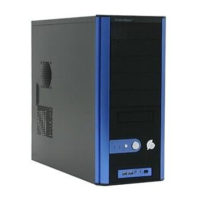
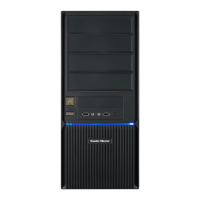
Details on the computer case's color, material, dimensions, weight, motherboard compatibility, drive bays, cooling system, expansion slots, and I/O panel.
Lists the included hardware such as standoffs, screws, and cable ties, along with their quantities and intended uses for installation.
Visual representations of the case from top, left, and front views, indicating component placement and front panel connectors.
Instructions on how to detach the side panel of the computer case for access to internal components.
Step-by-step guide on how to correctly install the power supply unit into the computer case.
Procedure for mounting the motherboard securely inside the computer chassis.
Guidance on how to install expansion cards, such as graphics or sound cards, into the available slots.
Instructions for fitting optical drives, hard drives, or floppy drives into their respective bays.
Details regarding the warranty period, duration, conditions, exclusions, and service procedures for the product.
 General
| Model | CMP-350 |
|---|---|
| Case Type | Mid Tower |
| Material | Steel, Plastic |
| Color | Black |
| External 5.25" Bays | 2 |
| External 3.5" Bays | 1 |
| Internal 3.5" Bays | 5 |
| Expansion Slots | 7 |
| Max PSU Length | 180mm |
| Motherboard Support | ATX, Micro-ATX |
| I/O Ports | USB 2.0 x 2, Audio In/Out |
| Front Ports | USB 2.0 x 2, Audio In/Out |
| Cooling System | Front: 120mm fan x 1 (optional), Rear: 120mm fan x 1 |
| Power Supply | Standard ATX PS2 (optional) |
| Radiator Support | No |


 To Next Page