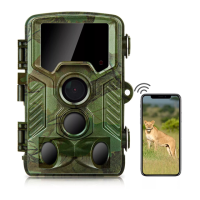
Q: Cannot connect to mobile phone
A:Check,please:
1. Are the Bluetooth and WiFi functions of your mobile
phone turned on?
2. The connection distance should be as close as possible
(10 meters) without any obstruction.
3.Turn on the usage permissions of the APP in the settings
4. Please update the APP to the latest version
5.Try restarting your phone and camera
6.TEST/ON mode
If you still can't connect, please check the status (by the
"customer service" menu option), and send the order
number and your phone model (iPhone 15) to our support
email for further assistance.


 To Next Page