496371 Issue 1 13 of 20
Manual Reset The receiver switches a channel ON when it
receives an ACTIVE signal. You must RESET the
receiver to switch the channel OFF. Note that this
will also switch all other channels to OFF.
Toggle The receiver switches a channel ON when it
receives an ACTIVE signal, and then switches the
channel OFF when it receives the next ACTIVE
signal.
Common Output Channels
While in single channel mode (1 to 8) the receiver turns common output A
ON whenever one of the eight channel outputs is ON.
In dual channel mode (9 to 13 and 16 to 19) the receiver turns common
output A ON whenever it receives an ACTIVE signal on channel A from a
transmitter. The receiver turns common output B ON whenever it receives an
ACTIVE signal on channel B from a transmitter.
Mode Details - Modes 1 To 8
Transmitter Set-up
For modes 1 to 8, at the transmitter:
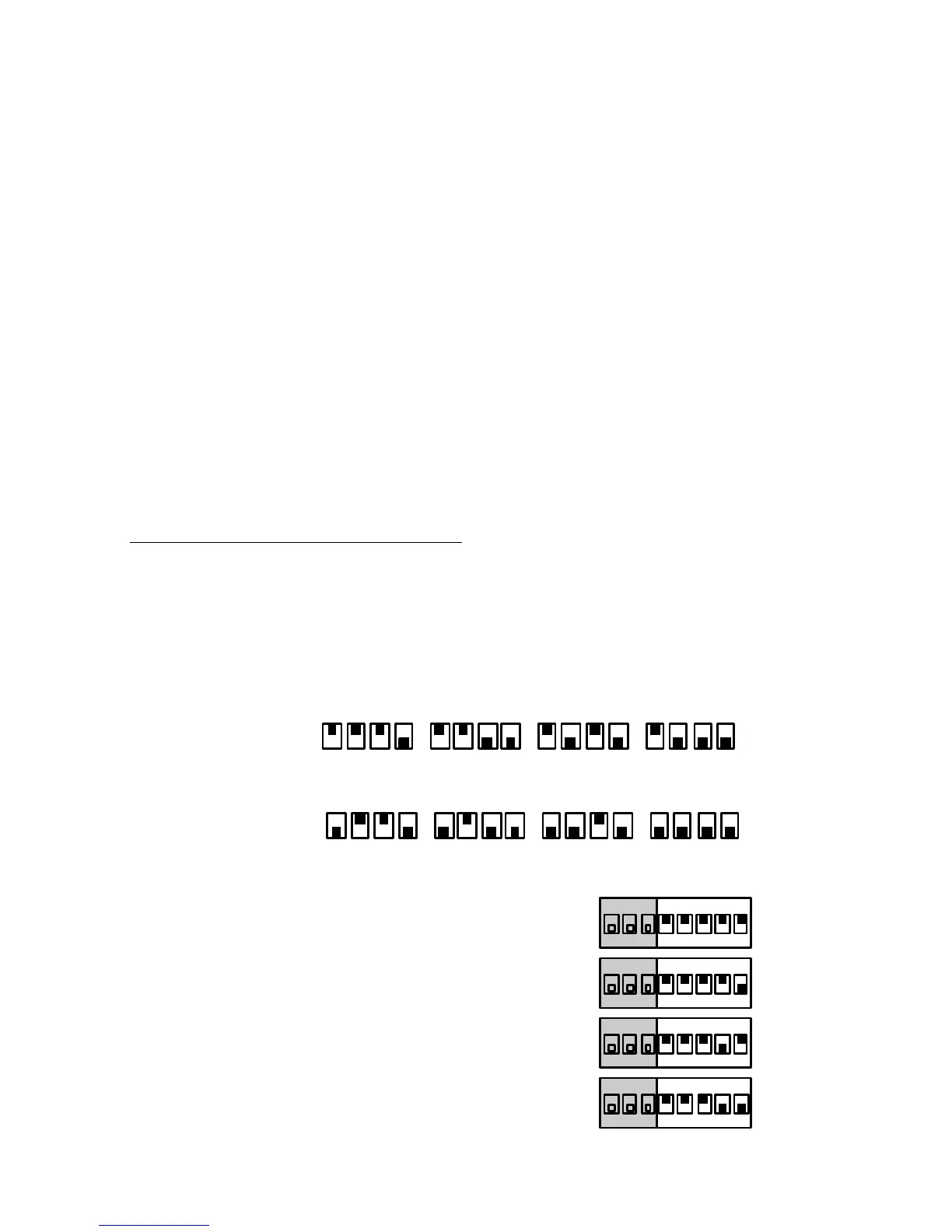
• Set switches 1 to 8 to the site code
• Set the last four switches as follows:
1 2 3 4 CHANNEL NO
SWITCHES
9, 10, 11, 12
5 6 7 8
on
off
on
off
MODE SW SETTING
1 1-8 Short Momentary
on
1 2 3 4 5 6 7 8
2 1-8 Latching
on
1 2 3 4 5 6 7 8
3 1-6 Latching, 7 & 8 Momentary
on
1 2 3 4 5 6 7 8
4 1-4 Latching, 5-8 Momentary
on
1 2 3 4 5 6 7 8
4618 Common Output Channels


 To Next Page