16 of 20 496371 Issue 1
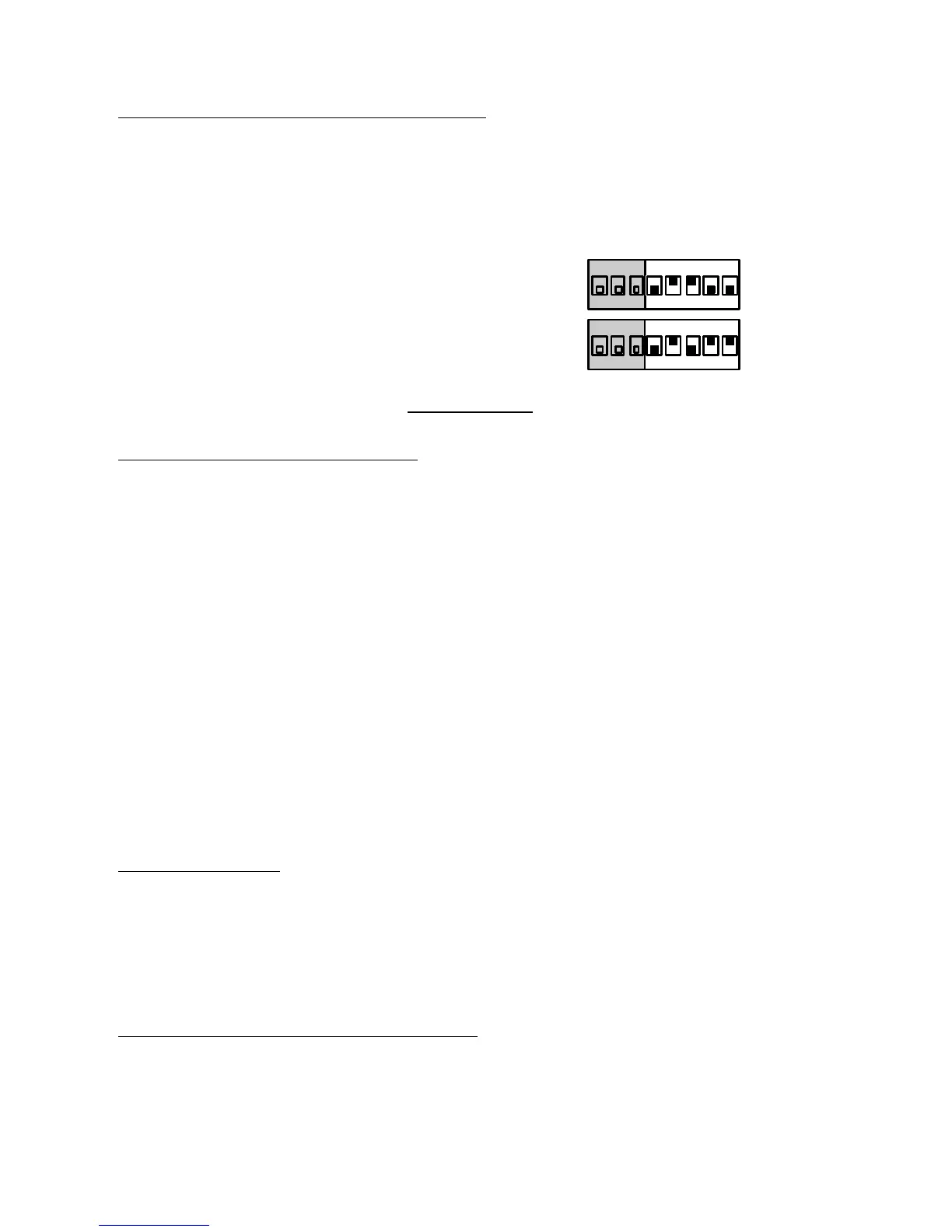
Mode 20 and 21 (Group Modes)
Modes 20 and 21 are used for special applications where a transmitter must
activate more than one receiver. Refer to the Installation Guide supplied with
the unit for detailed examples.
MODE SW SETTING
20 8 Transmitter Group
on
1 2 3 4 5 6 7 8
21 16 Transmitter Group
on
1 2 3 4 5 6 7 8
TESTING
Sensor/Transmitter Tests
After completing the initial installation, check that the unit is receiving signals
from all the transmitters allocated to it. Carry out the following steps for all
transmitters:
1. Activate the transmitter and check that the correct channel LEDs light.
2. Check that the channel LEDs go out after 4 secs for momentary chan-
nels.
3. Check that the channel LEDs go out on a RESTORE signal for latched
channels.
4. Activate the tamper on a transmitter, check that the correct channel
LED lights.
5. Restore the tamper and check that the correct channel LED goes out.
6. If you have set the unit to Modes 7 or 18 check that the reset button
works.
Other Checks
Check that the tamper switch on the case is wired and operates as intended.
Check that the sounder is wired and working as intended.
If you have installed an external reset connection then check that it works. All
units should reset when the external reset operates.
Mode 22 Message Quality Test
Your installation may be giving problems by not reporting the activation of a
transmitter reliably. Poor reception at the receiver is one possible cause.
Mode 22 Message Quality provides a way of checking the reception quality
from any transmitter.
4618


 To Next Page