Page 8
Downloader Calling Control Unit
The end user can now control access to the control unit for incoming calls
from Downloader. To do this the user:
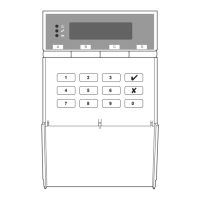
1. Keys in an access code (or presents a tag).
2. Presses 0.
The display shows:
Call CS ?
3.
Presses B and then y.
The display shows:
Remote PC _
In Progress
The Installer's PC can then attempt to call the
control unit over the telephone line. While
Downloader is connected, the keypad display
shows the time and date.
Note: If you connect a PC with Downloader directly to
the control unit by a cable then the user must
authorise the connection by pressing A in step 3
above.


 To Previous Page
 Loading...