interchanged; there is no polarity on these wires).
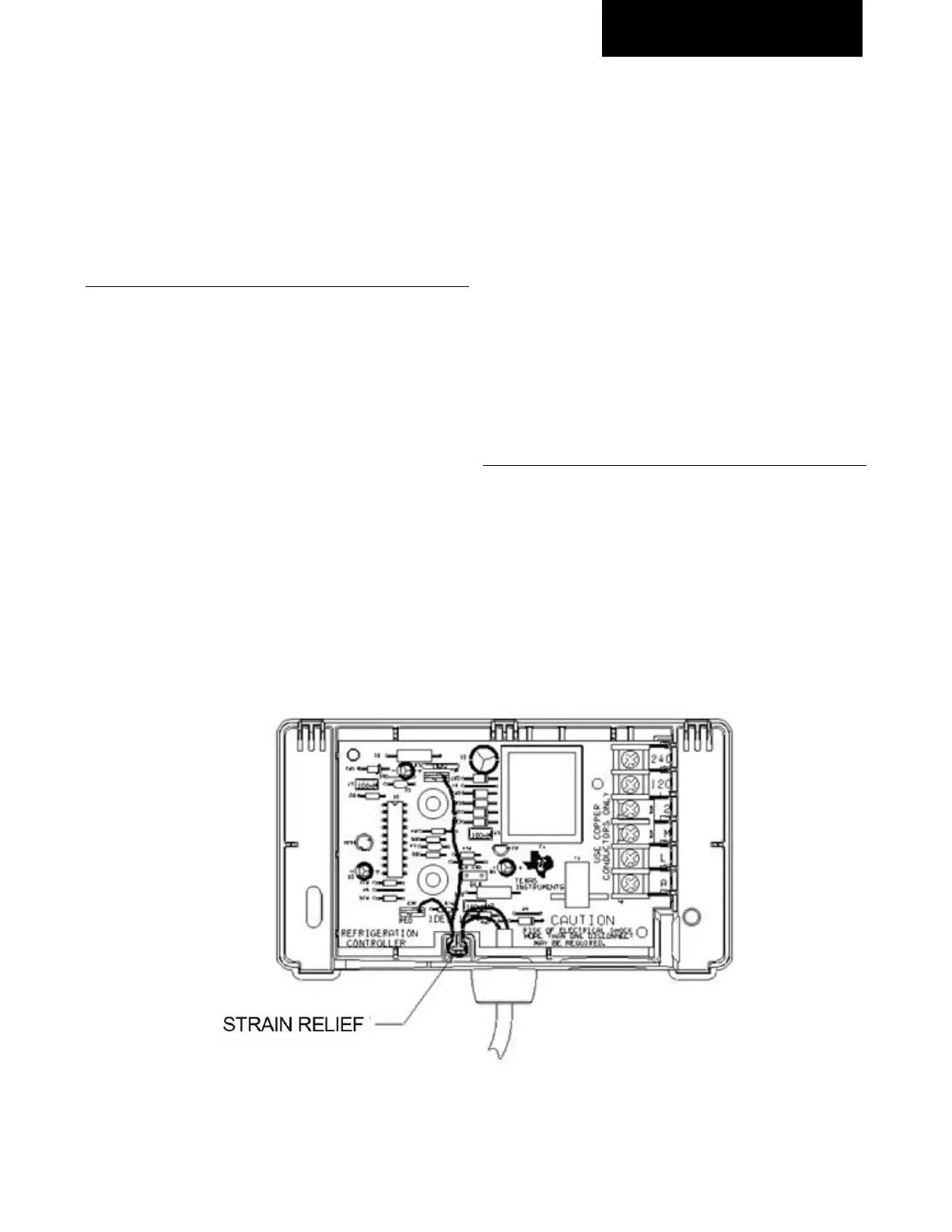
Refer to the figure below.
• Install the module to the compressor and make
wiring and sensor connections per the general
instructions.
Connecting the old Sentronic Module to a Newer
Sentronic+ Sensor
Removing the cable from the new Sentronic+ module:
• Disconnect power to the module Disconnect the
cable from the sensor
• Remove the cover from the Sentronic+ module
• Pull the 2 cable quick connects from the circuit
board (these are labeled “Org” and “Red”)
• Remove the wires from the strain relief by lifting
the wires out
• Remove the wire cable from the module by
twisting the conduit counterclockwise and gently
pulling
• Removing the cable from the old Sentronic
module:
• Remove the cover from the old module
• Remove the two cable quick connections from the
circuit board
• Using pliers, squeeze the strain relief slots and
pull to remove the cable from the module
• Retain the strain relief from the cable for use on
the Sentronic+ cable
• Connecting the new cable to the old Sentronic
module:
• Position the strain relief on the new cable at the
termination of the conduit
• Feed the wires into the module through the hole
in the bottom of the case
• Push the strain relief into position to lock it
• Connect the two quick connects to the circuit
board. There is no polarity on the leads.
• Install the module on the compressor and make
wiring and sensor connections per the general
instructions
Sentronic+ Terminal Strip
• The Sentronic+ module terminal strip is designed
to accept a bare wire end instead of a spade
terminal
• If a Sentronic+ module is being retrofitted to a
system with spade connections, the spade may
be clipped off and ¼” of the wire end stripped. Or,
one leg of the spade may be clipped off for
insertion into the terminal strip



 To Next Page