Accelnet & Stepnet Plus Panels STO Manual 16-01338 Rev 00
Page 7 of 34 Copley Controls
4.4 Installation Overview
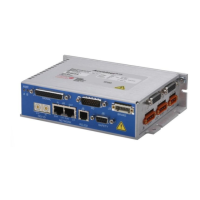
This graphic shows the elements of a complete Accelnet & Stepnet Plus Panel drive installation.
The STO feature and interface to the machine-level functional safety equipment are highlighted in red to
emphasize the aspects of the installation that are addressed in this manual.
4.5 Definitions
There are certain terms used throughout this document that serve an important role in describing the operation
and behavior of the Accelnet & Stepnet Plus Panels STO feature. These terms are discussed and defined as
follows:
Activate – This term is used to refer to action taken that results in the safe state being entered. In the case of the
STO feature, the STO function is activated (made active) by making the voltage at one or both STO inputs less
than or equal to the maximum rated de-energize threshold voltage.
De-Activate – This term is used to refer to action taken that results in the safe state being exited. In the case of
the STO feature, the STO function is de-activated (made inactive) by making the voltage at both STO inputs
greater than or equal to the minimum rated energize threshold voltage.
Energize – This term refers to the application of voltage greater than or equal to the minimum rated energize
threshold voltage to an individual STO input. Note that simultaneously energizing both STO inputs results in the
STO function being de-activated.
De-Energize – This term refers to the application of voltage less than or equal to the maximum rated de-energize
threshold voltage to an individual STO input. Note that de-energizing an STO input results in the STO function
being activated.


 To Next Page