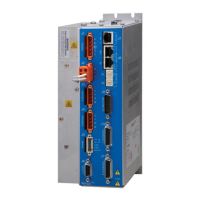
Xenus XTL
™
PART NUMBER DESCRIPTION
XTL-230-18 Xenus XTL Servodrive 6/18 A
XTL-230-36 Xenus XTL Servodrive 12/36 A
XTL-230-40 Xenus XTL Servodrive 20/40 A
XTL-NK CANopen Network Kit
XTL-NC-10 CAN Network Cable,10 ft (3 m)
XTL-NC-01 CAN Network Cable,1 ft (0.3 m)
XTL-CK Xenus Solder-Cup Connector Kit
CME2 CME 2 Conguration Software CD
SER-CK CME 2 RS-232 Cable Kit
J6
J6
J6
Copley Controls, 20 Dan Road, Canton, MA 02021, USA Tel: 781-828-8090 Fax: 781-828-6547
Tech Support: E-mail: sales@copleycontrols.com, Internet: http://www.copleycontrols.com Page 25 of 30
DIGITAL SERVO DRIVE
for BRUSHLESS/BRUSH MOTORS
For multiple-drive installations,
use the ordering guide on this
page. Computer equipment is
the same as for single-drive
installations. And Serial Cable
Kit SER-CK is used when CME 2
is in use for drive set up and
conguration.
Ordering Guide
Table below shows parts to order for the conguration on this page
See page 24~25 for other parts required
(motor, +24V power supply, etc.)
For side-by-side drive
mounting, use XTL-NC-01
cables that are 1 ft long.
Use XTL-NC-10 cables
(length is 10 ft) where
distances between drives
is greater.
MULTIPLE-DRIVE SETUP FOR CANOPEN POSITION CONTROL
XTL-NC-10
or
XTL-NC-01
XTL-NK
CAN Terminator
XTL-NC-10
or
XTL-NC-01
SER-CK
Add -S to part numbers above for sin/cos feedback,
or add -R for resolver feedback models.



 To Next Page
 Loading...