
EasyManua.ls Logo

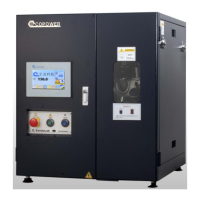
Copower SANDOLAB TP - User Manual

Copower SANDOLAB TP
40 pages
Print Icon
To Next Page IconTo Next Page
Loading...
SANDOLAB TP
Operation Manual
July 2018
Revision 1.2

Questions and Answers

  • A
    Amy KiddAug 9, 2025
    What to do if Copower SANDOLAB TP Laboratory Equipment shows Over Temp. Alarm?
    • S
      Susan RichardsonAug 10, 2025
      If the Copower Laboratory Equipment shows an Over Temp. Alarm, first check the SSR to see if it remains continuously ON. Also, verify that the cooling blower is functioning correctly during rising temperature. If necessary, adjust the E-31 (10) & E-32 (999) settings to meet your specific needs.
  • J
    John BartonAug 14, 2025
    How to troubleshoot Heater Alarm on Copower SANDOLAB TP Laboratory Equipment?
    • K
      Kenneth HerreraAug 15, 2025
      If you're experiencing a Heater Alarm with your Copower Laboratory Equipment, start by confirming that the parameters in PAGE E (E-11(40) & E-12(999)) match the default values. Next, check the LED on the SSR to see if it's glowing while the temperature is rising. Finally, inspect the heater circuit itself.
  • A
    andrew45Aug 19, 2025
    What to do if Copower SANDOLAB TP Laboratory Equipment shows Inverter Error?
    • M
      Mary AguilarAug 19, 2025
      If your Copower Laboratory Equipment displays an Inverter Error, begin by checking the pin connection of RJ-11, which is the RS485 connector linking the HMI and Inverter. Then, ensure the Inverter settings are correct, specifically (2-00=d4, 9-04=d1). If the issue persists, consider replacing the Inverter.
  • C
    Clinton RossAug 25, 2025
    Why is the Cooling Fan not working on my Copower Laboratory Equipment?
    • J
      Jennifer HollandAug 25, 2025
      If the Cooling Fan is not working on your Copower Laboratory Equipment, check that the cooling blower is running continuously. Also, check the SSR to see if it remains continuously ON. If needed, adjust the E-21 (10) & E-22 (60) settings to accommodate the needs for large volume beaker.
  • R
    Ryan WilliamsAug 30, 2025
    What to do if Copower SANDOLAB TP displays Temp. Sensor Short?
    • J
      Jonathan KimAug 30, 2025
      If the Copower Laboratory Equipment displays Temp. Sensor Short, you may need to adjust the E-51 (6) & E-52 (60) settings according to your specific requirements. If the problem continues, replace the temperature sensor.
  • B
    Brittany PerkinsSep 4, 2025
    How to resolve Dosing Alarm on Copower SANDOLAB TP?
    • D
      David SanchezSep 4, 2025
      If a Dosing Alarm occurs on the Copower Laboratory Equipment, immediately call the operator to dose the chemical. To stop the buzzing, press the YES key.

Copower SANDOLAB TP Specifications

General IconGeneral
BrandCopower
ModelSANDOLAB TP
CategoryLaboratory Equipment
LanguageEnglish