10 11
ENGLISH
CONNECTING THE SYSTEM
TO THE CORAVIN MOMENTS APP FOR iPhone
®
NOTE: It is also possible to register the System at WWW.CORAVIN.COM
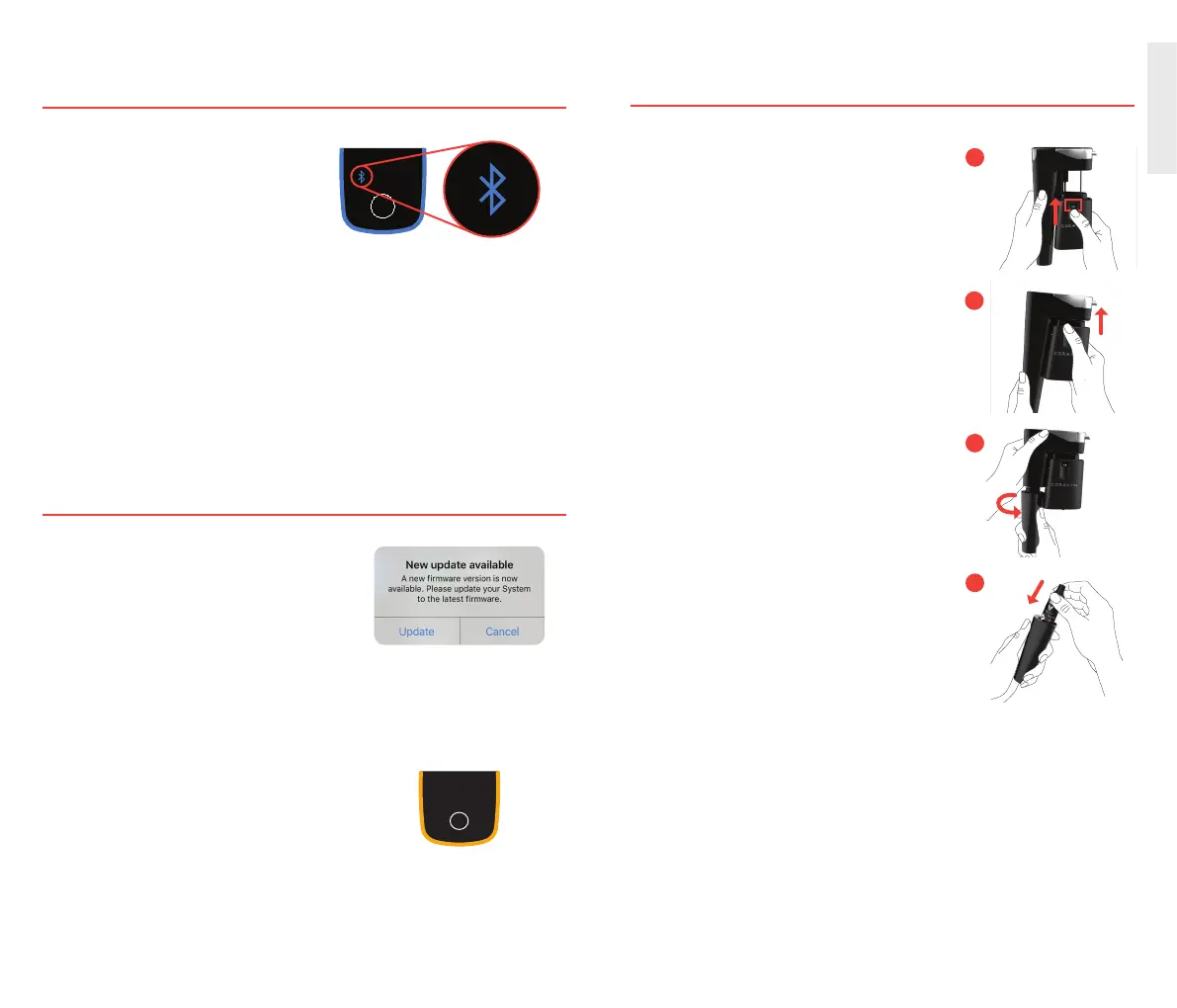
NOTE: When the connection is made, the Bluetooth icon will light up BLUE.
1.
Coravin Moments App for iPhone can
be downloaded from the App Store
®
.
2. Follow in-App instructions to
connect System.
Awake
Asleep
All Icons
On Bottle
Clean
Pouring
(Cascading)
Bluetooth Connect Battery Low
Battery Empty Battery Charging
(Pulsing)
Gas Empty
Taste On
Battery Charged
For more information, consult the App or WWW.CORAVIN.COM
FIRMWARE UPDATE FOR MODEL ELEVEN
1. If update is available, a pop-up will appear
in the Coravin Moments App.
2. Click “Update.”
3. Keep System and Phone in range and on
a at surface. Do not navigate away from
Update Screen.
NOTE: Light ring will turn YELLOW when
update is in process.
INSTALLING AND REPLACING
A CORAVIN CAPSULE
1A. Hold Clamp Release Lever up.
1B. Slide Clamp all the way up.
2. Unscrew Capsule Cup.
3. Insert round end of Capsule into
Capsule Cup.
2
3
1B
1A


 To Next Page