17
SECTION 02
SET LAMP
The LED lamp will automatically turn on when the safe door is opened. To dissable
or enable the LED lamp follow the procedure below;
(1) Connect CEU with safe using Micro USB Cable. After the CEU starts work, press
▼ or ▲ to choose 5.SetLamp, and press OK.
(2) Follow the above to reverse the setting.
SET COMMUNICATION MODE
(1) Connect CEU with safe using Micro USB Cable. After CEU turns on, press ▼ or
▲ to choose 7.CommMode, and press OK to enter into submenu.
(2) Choose the desired communication mode, and press OK (modes explained
below).
IO-A is for communication between the CEU and the safe.
IO-B is not used on this safe.
PC is for communication between the CEU and a computer.
COMMUNICATION WITH PC
IMPORTANT: Digital Safe Software and Drivers must be
downloaded and installed from
https://www.corbyofwindsor.com/software/hotel-safe-softwar
e.zip for the CEU to be able to communicate with a PC.
READING DATA
(1) Go to https://www.corbyofwindsor.com/software/hotel-safe-software.zip
The hotel safe software will automatically begin downloading.
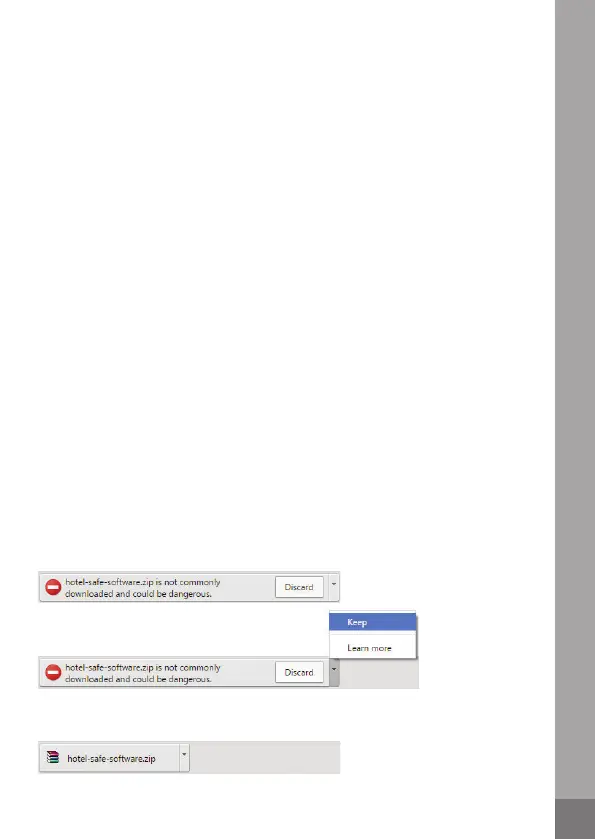
(2) The following warning may appear;
If so, click on the arrow and select Keep.
(3) Click on the download file to open.



 To Next Page