Technical Support Manual – 05/2018 Rel. 2.1.3 Page 8
MCA
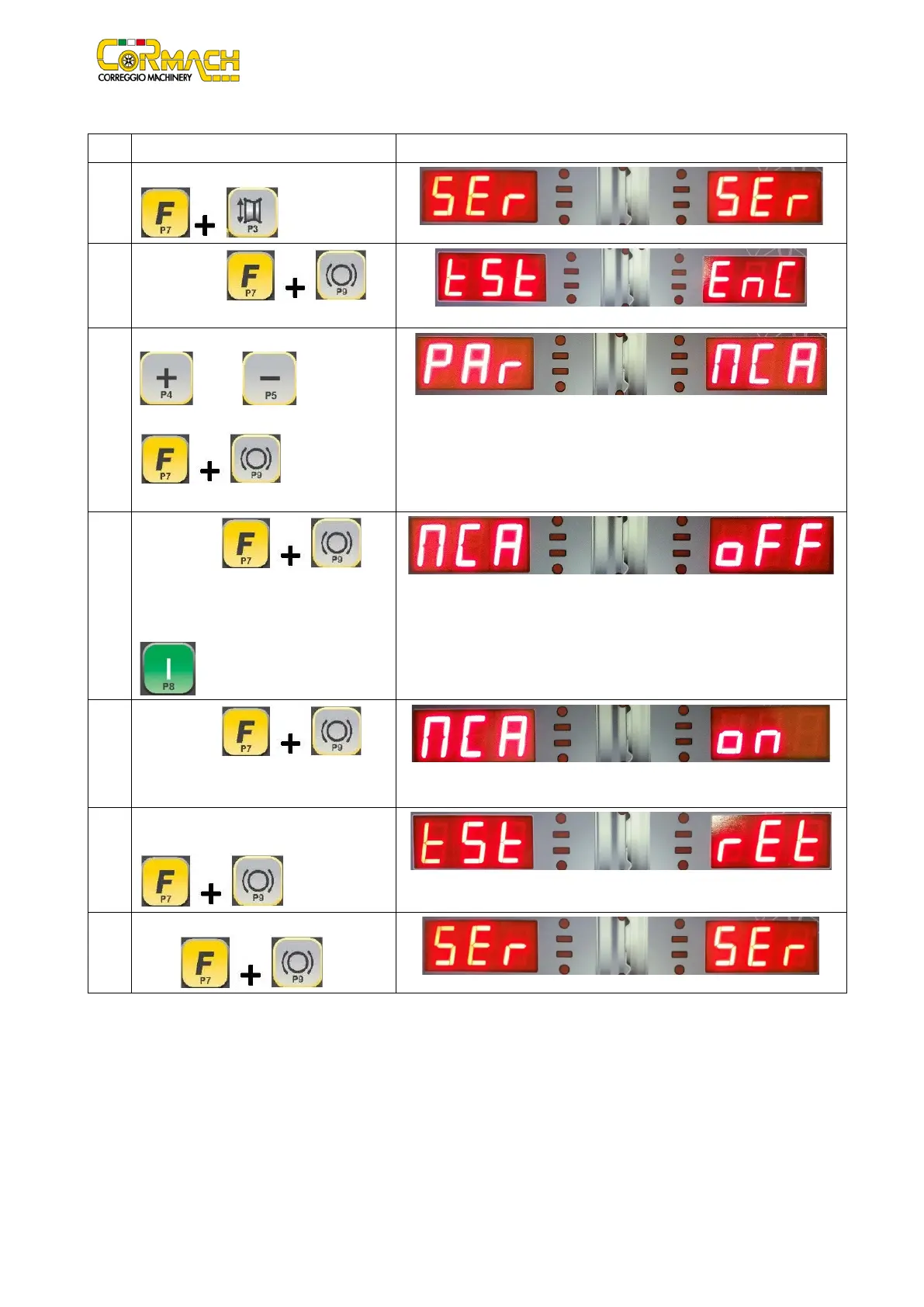
WHEEL GUARD MICRO SWITCH activation or deactivation
1
Enter the SERVICE mode by pressing [F+P3]
.
2
Press [F+P9] to
enter in “TEST Programs” menu.
3
Browse the list of the Menus with keys [P4]
or [P5] until the option
required is displayed.
4
Press [F+P9] to
DEACTIVATE THE WHEEL GUARD MICRO
SWITCH. In this way it is possible to run a
launch by pressing the key START [P8]
with the wheel guard raised.
5
Press [F+P9] to
ACTIVATE THE WHEEL GUARD MICRO
SWITCH again.
6
To exit the WHEEL GUARD MICRO SWITCH
ACTIVATION program press [F+P9]
7
To exit the “TEST programs” Menu press



 To Next Page