Technical Support Manual – 05/2018 Rel. 2.1.3 Page 9
3. MENU PARAMETERS ACCESS (with password)
The machine must be configured to enable the electronic control unit (CPU-C1C.X) to receive communications from the installed
devices. The configuration is executed via the parameters MENU, available in SERVICE mode. The Parameters MENU allows you to
run various operations reserved to technical personnel, such as re-setting the revolution counter - SPIN. Proceed as follows:
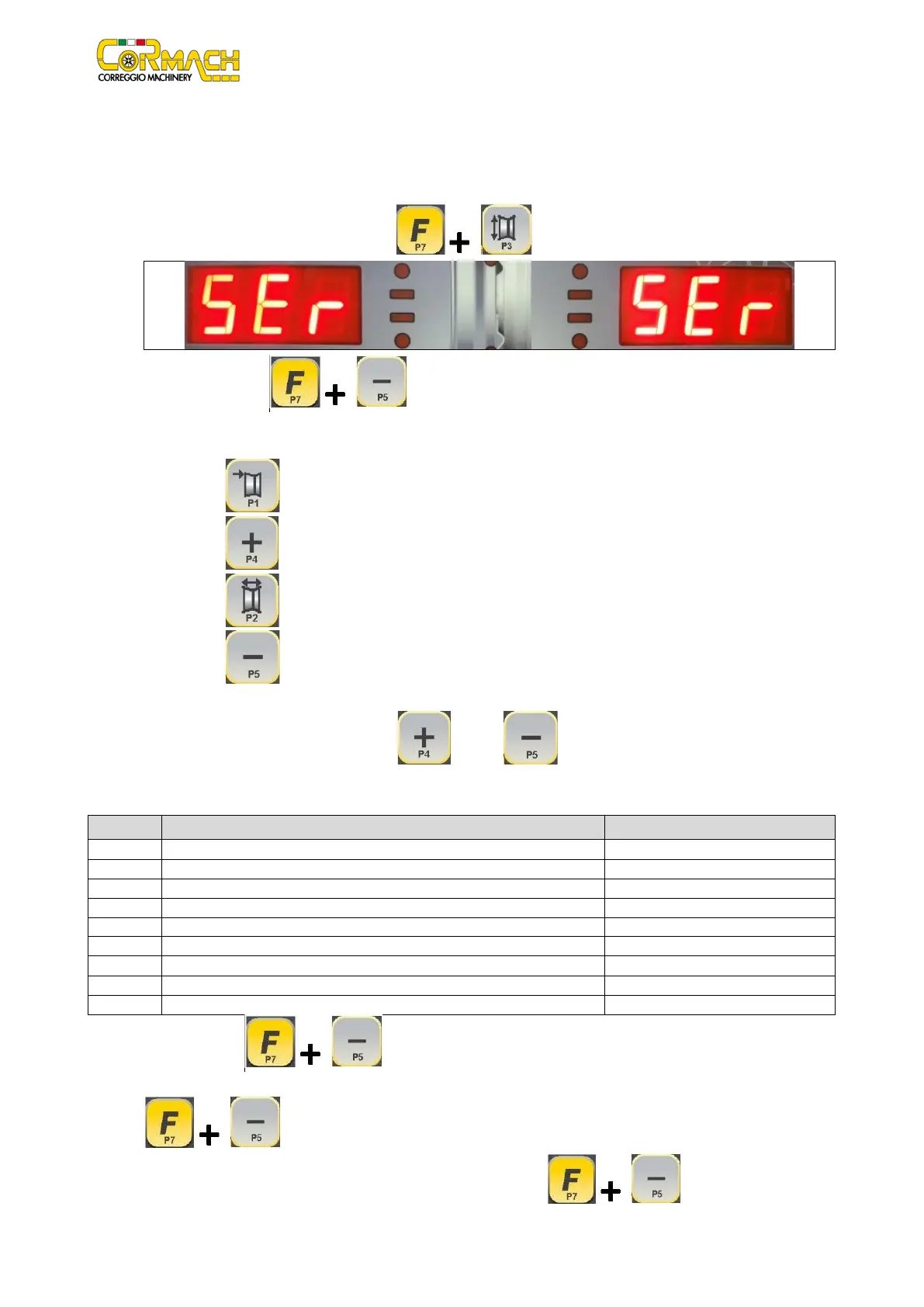
1. Enter the SERVICE mode by pressing [F+P3] ;
2. Press the keys [F+P5] to access the Parameters MENU;
3. A password is required to enter this menu. Enter the password by pressing the keys in the sequence indicated within 5
seconds, or the machine will return to SERVICE mode:
a) [P1]
b) [P4]
c) [P2]
d) [P5]
The password must not be disclosed to the end user, as he/she may accidentally modify the machine configuration;
4. Browse the list of the menus with keys [P4] or [P5] until the option required is displayed. The menu
options available are listed in table T3.1;
Table T3.1: Parameters Menu Option
Activate or deactivate the distance/diameter sensor
Default status: Deactivated
Activate or deactivate the width sensor
Default status: Deactivated
Activate or deactivate the clamping brake
Default status: Deactivated
Activate or deactivate the automatic switch-on of the illumination LEDs
Default status: Deactivated
Activate or deactivate the SONAR device
Default status: Deactivated
Activate or deactivate the LASER device
Default status: Deactivated
Reset the revolution counter
Measure the static imbalance of the shaft unit
5. Press keys [F+P5] to confirm the option;
6. Some programs require additional confirmation to continue (the flashing message yEs is displayed). Press keys [F+P5]
to confirm or any other key to cancel;
7. To exit the Parameters Menu, select option Ret and press keys [F+P5] .



 To Next Page