Technical Support Manual – 05/2018 Rel. 2.1.3 Page 27
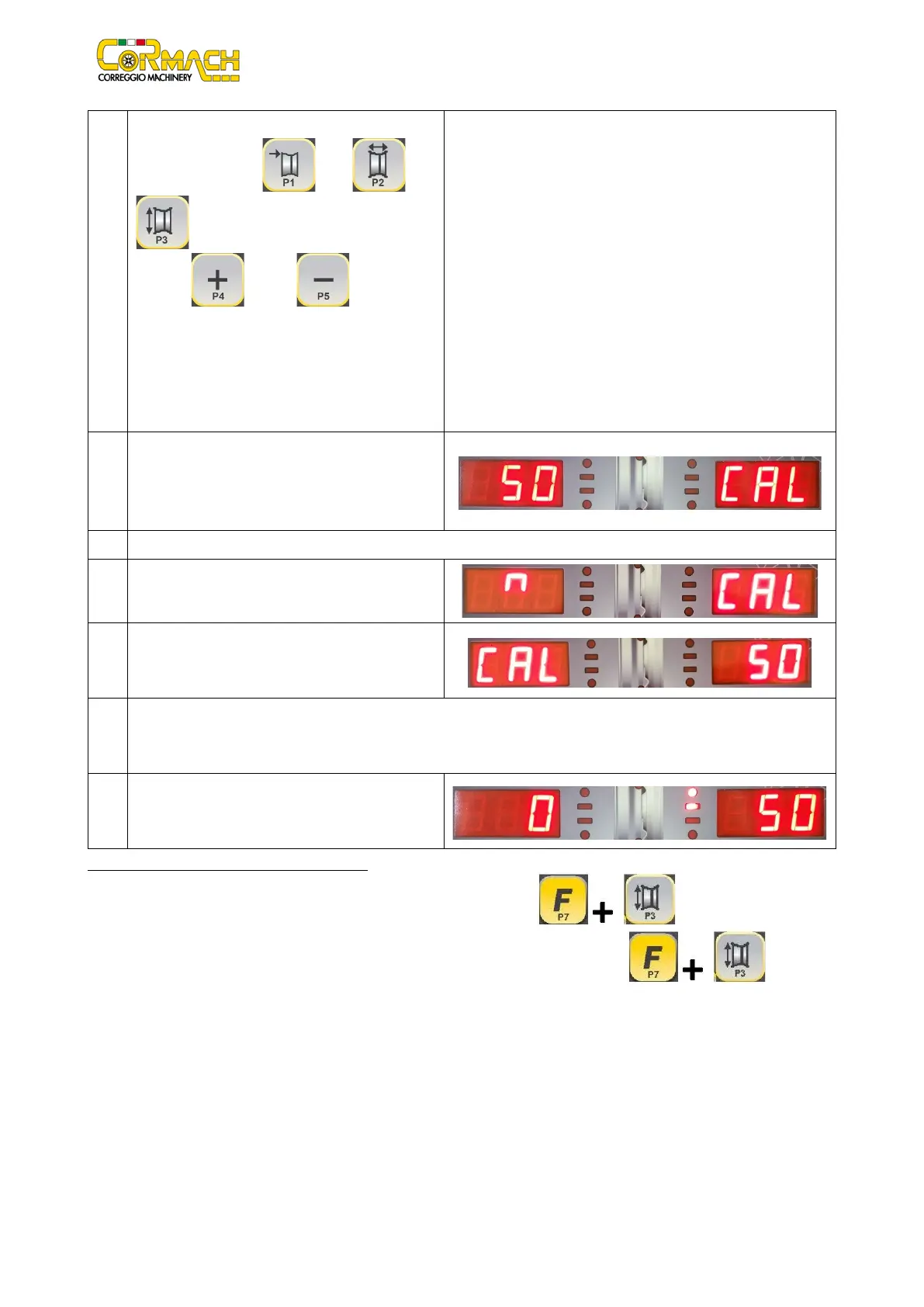
7 Fit the wheel on the shaft.
dimensions with [P1] , [P2] , [P3]
to select the dimensions to be modified
and [P4] or [P5] to change the
values. If the dimensions of the wheel have been
introduced before entering the calibration
procedure, this step can be skipped.
Lower the wheel guard: the machine will run a
8 Once the launch is completed, manually rotate the
wheel until value 50 is seen on the left display. Apply
the 50 g weight at the 12 o'clock position on the
internal side of the wheel.
Lower the wheel guard: the machine will run a launch.
10
Remove the 50 g weight applied on the internal side.
11 Manually rotate the wheel until a value of 50 appears
on the right display. Apply the 50 g weight at the 12
o'clock position on the external side of the wheel.
12 Lower the wheel guard: the machine will run a launch. For MEC 20: keep the wheel guard lowered. It is equipped with the
electromagnetic brake for positioning, at the end of the previous spin the machine will perform a set of short spins to
calibrate the function of automatic stop on imbalance position.
13 Calibration is finished: the machine automatically
exits the calibration program and returns to NORMAL
mode, ready to perform balancing.
How to exit the CAR/SUV wheel type calibration
At any time it is possible to exit the calibration procedure by pressing [F+P3] . The machine will return to
SERVICE mode displaying the writing SER SER. To return to the NORMAL mode, press [F+P3] again.
The calibration procedure in progress will be cancelled and the results will use previous calibration values.



 To Next Page