Technical Support Manual – 05/2018 Rel. 2.1.3 Page 17
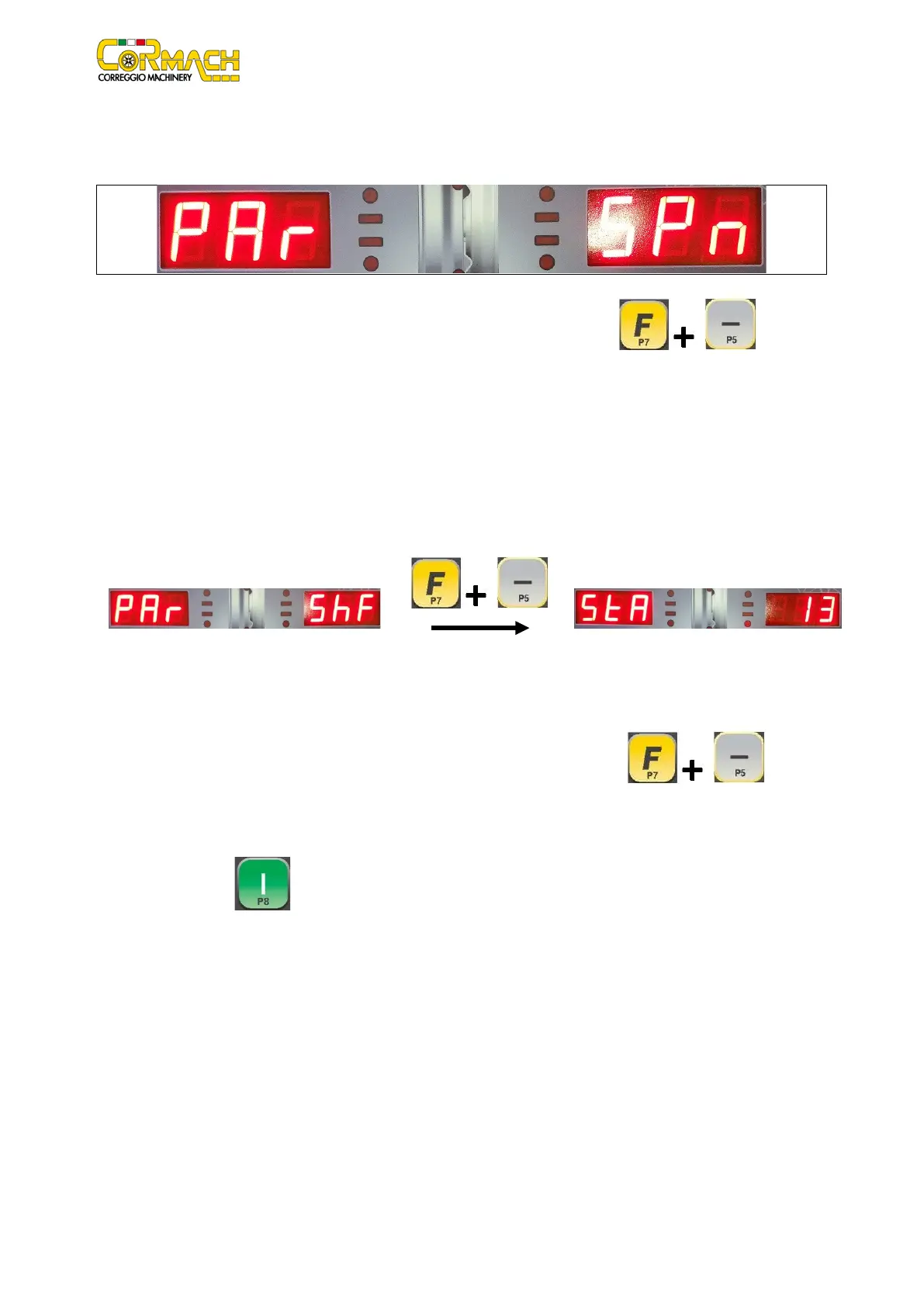
SPn
Revolution counter reset (spin)
This menu option allows you to reset the machine revolution counter.
Figure F3.5:
Revolution counter reset message
Confirm to reset the revolution counter (the LH display will show yEs). Press the keys [F+P5] to confirm or
any other key to cancel the operation.
The revolution counter counts only the revolutions performed in NORMAL mode. A manually blocked revolution (using the STOP key
or the wheel guard) will not be counted.
ShF
Shaft unit static imbalance measurement
This menu option allows you to measure the static imbalance of the shaft unit. The shaft unit includes the shaft, flange, hub, and
pulley.
Figure F3.6: Static imbalance measurement message
Figure F3.7: Static imbalance value message
Due to mechanical imperfections, each shaft unit has a small static imbalance (a few grams). The effect of this small static imbalance
is measured during the Cal0 calibration phase of the machine and it is subtracted at every balancing cycle. Therefore, mechanical
balancing is not required for the shaft unit. However, you can use this program to identify the exact value of this static imbalance.
Proceed as indicated below:
1. Access the measurement option of the shaft unit static imbalance by pressing [F+P5] ;
2. The display will show the static imbalance saved in eeprom during the previous measurement. If the electronic board is
blank, the value will be XXX;
3. Remove the wheel and any other accessory from the shaft;
4. Press key [P8]
. Once the revolution is complete, the machine will show the static imbalance of the shaft unit.
The static imbalance is always indicated in grams.



 To Next Page